interface ILogger // 메서드나 속성, 이벤트 등을 정의 해두는 곳
                  // 구현은 여기서 못함
{
    void WriteLog(string message);
}
class ConsoleLogger : ILogger
{
    public void WriteLog(string message) // 구현하지 않으면 에러가 남(구현을 강제함)
    {
        Console.WriteLine($"{DateTime.Now.ToLocalTime},{message}");
    }
}
콘솔에 로그 띄우기
class FileLogger : ILogger
{
    private StreamWriter _writer;
    public FileLogger(string path)
    {
        _writer = File.CreateText(path); // 파일을 생성하고 스트림 라이터를 초기화
        _writer.AutoFlush = true; // 자동으로 버퍼를 비우도록 설정
    }
    public void WriteLog(string message)
    {
        _writer.WriteLine($"File log : {DateTime.Now.ToLocalTime} , {message}");
    }
}
파일을 생성해서 로그띄우기
class ClimateMonitor
{
    private ILogger logger;
    public ClimateMonitor(ILogger logger)
    {
        this.logger = logger;
    }
    public void Start()
    {
        while (true)
        {
            Console.Write("온도 입력 : ");
            string temperInput = Console.ReadLine();
            if (temperInput == "")
            {
                break;
            }
            logger.WriteLog($"현재 온도 : {temperInput}");
        }
    }
}

//Ilogger 형식의 클래스를 생성자에서 입력받도록

ILogger logger = new ILogger(); // 그냥 생 Ilogger 이용하려고 시도할시 에러남
ClimateMonitor monitor = new ClimateMonitor(logger);
인터페이스가 인터페이스를 상속받을수도 있다.
클래스나 구조체도 상속받을 수 있다.
//인터페이스를 상속하는 인터페이스의 예시

interface ILogger2
{
    void WriteLog(string message);
}
interface IFormattableLogger : ILogger2
{
    void WriteLog(string message, params Object[] args);
}
interface ILogger2
{
void WriteLog(string message);
}
interface IFormattableLogger : ILogger2
{
void WriteLog(string message, params Object[] args);
}
class ConsoleLogger2 : IFormattableLogger
{
public void WriteLog(string message) // Ilogger2에 있는거
{
}
public void WriteLog(string message, params object[] args) // formmattable에 있는거
{
}
}
두개 다 구현해야 에러가 안남ConsoleLogger2 logger = new ConsoleLogger2();
logger.WriteLog("123");
logger.WriteLog("{0} , {1} , {2} , {3}", 1, "5", 2+3, 7.0);
    interface IRunnable
    {
        void Run();
    }
    interface IWalkable
    {
        void Walk();
    }
    class Human : IWalkable, IRunnable
    {
        public void Walk() { }
        public void Run() { }
    }
인터페이스는 다중상속이 가능하다.
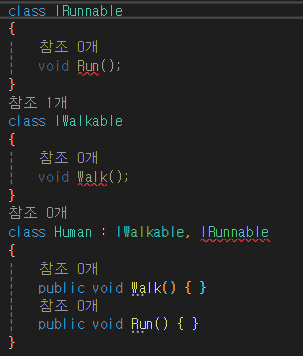
인터페이스는 다중상속해도 에러가 나지 않는다.
______________________________________________________________________
추상 클래스
추상 클래스는 인터페이스와 달리 구현도 포함할 수 있다.
다만 추상클래스는 인스턴스를 생성(new ~~()) 할 수 없다.
자식 클래스에서 상속받아 인스턴스를 생성한다.
public abstract class AbstractBase
{
    protected void PrivateMethodA()
    {
        Console.WriteLine("A called");
    }
    public void PublicMethodA()
    {
        Console.WriteLine("Public A called");
    }
    public abstract void AbstractMethodA(); // 추상 메서드는 구현부가 없음,구현하려하면 에러남
                                            // 추상 메서드 하나라도 포함 시 클래스도 추상 클래스 여야함

}

class Derived : AbstractBase
{
    public override void AbstractMethodA()
    {
        Console.WriteLine("Derived Abstract A called");
    }
}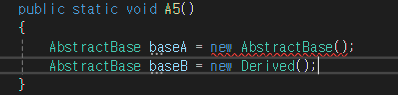
추상 클래스를 그대로 쓰려하니 에러나는 모습
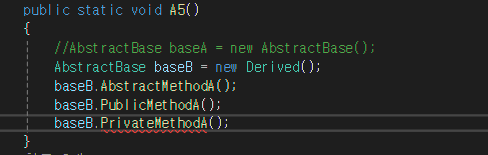
위에서 protected로 되어있던걸 쓰려하니 에러나는 모습
______________________________________________________________________
HPUI
적 위에 띄우고
깎이면 색 점점 바뀌고 (초 -> 노 -> 빨)
UI는 메인카메라를 바라보도록
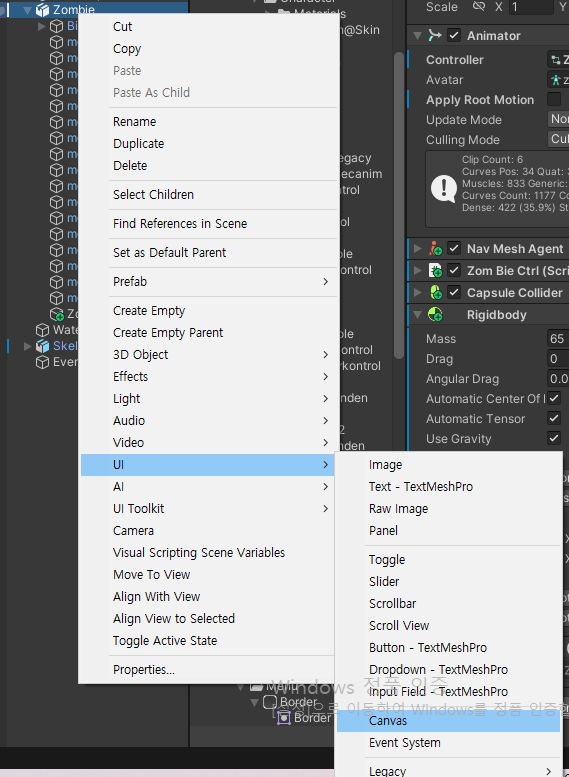
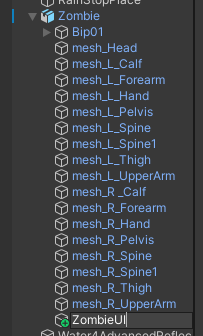
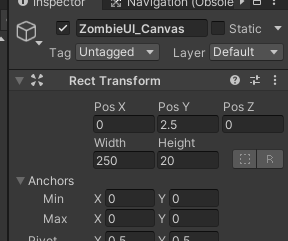
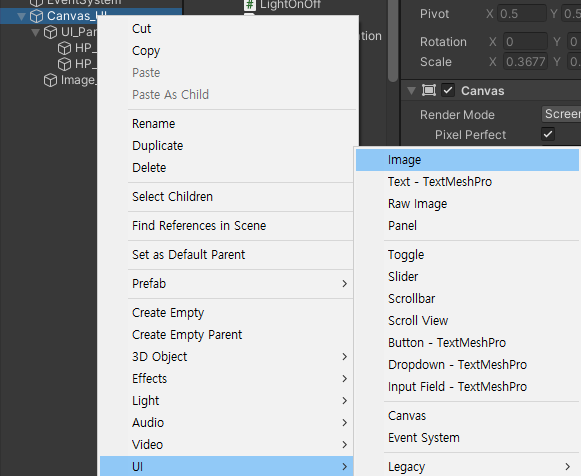
몬스터 내에 UI-Canvas생성

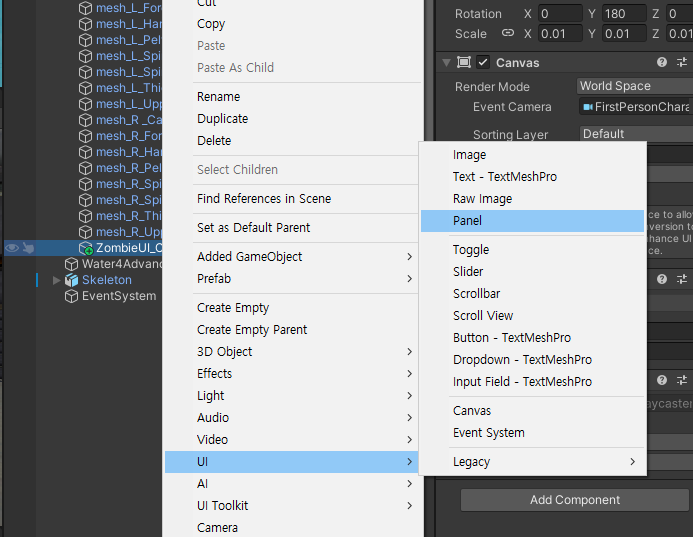
Panel생성
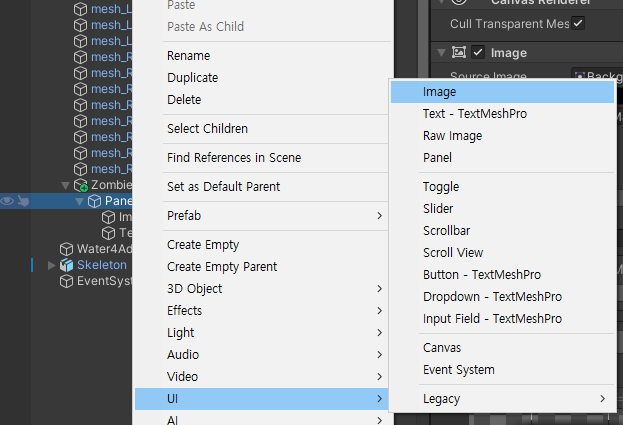
panel에 이미지 생성

panel에 text생성
public class LookAtCamera : MonoBehaviour
{
    public Transform canvasTr;
    public Transform cameraTr;


    void Start()
    {
        canvasTr = this.transform;
        cameraTr = Camera.main.transform;
    }
    void Update()
    {
        canvasTr.LookAt(cameraTr); //캔버스가 카메라를 바라봄
    }
}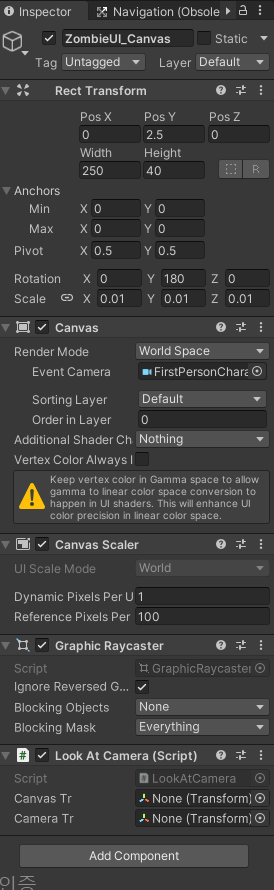
코드 작성후 캔버스에 추가
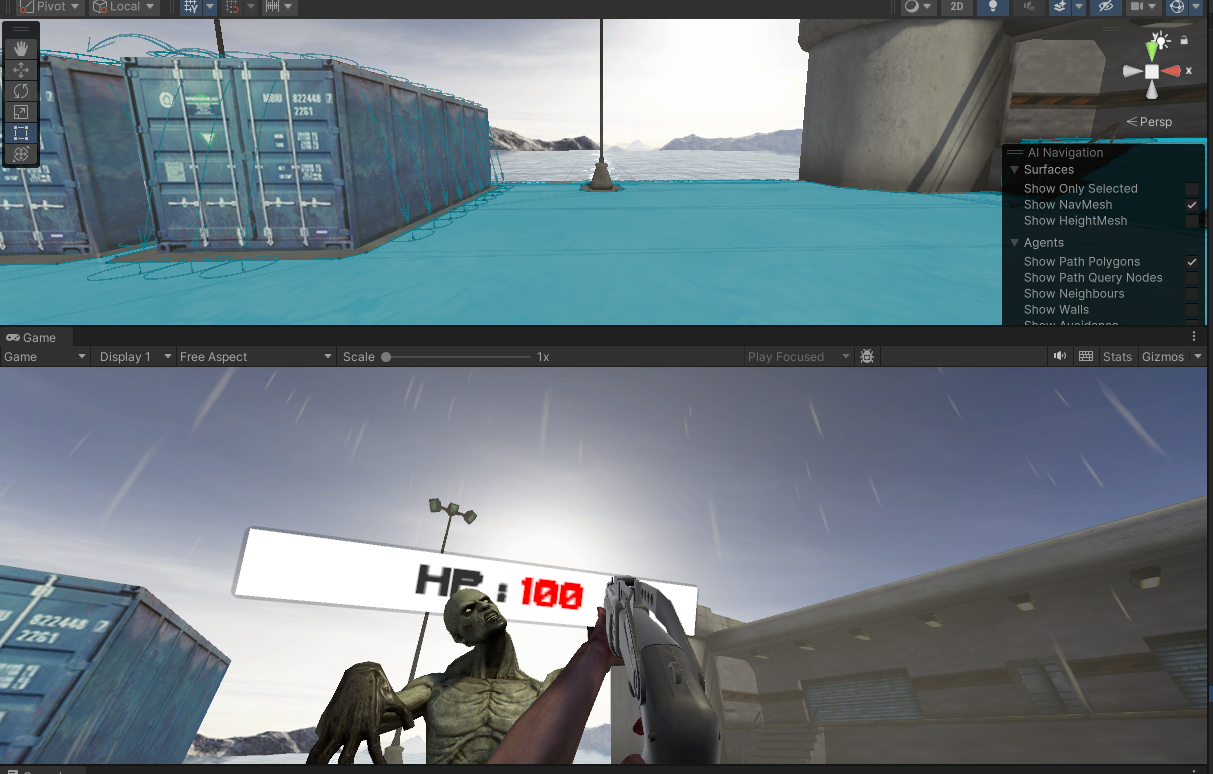
+
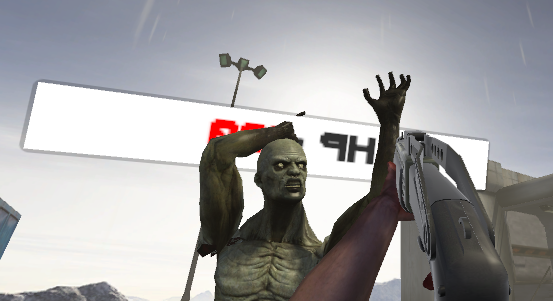
만약 글이 뒤집어진 상태일 경우
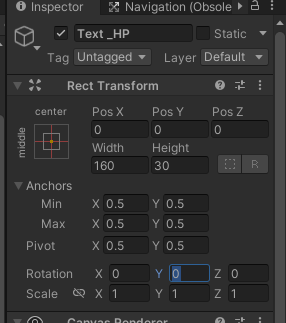
text쪽에서 회전 가능
___________________________________________________________________
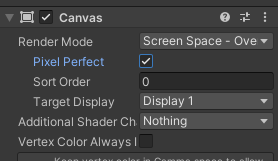
플레이어 체력 UI
그냥 UI만들던데로 만듬
_________________________________________________________
조준점

void Update()
{
    ray = new Ray(this.transform.position, this.transform.forward); // 앞으로 레이 발사
    //Debug.DrawRay(this.transform.position, this.transform.forward * 100 , Color.red);
    if(Physics.Raycast(this.ray, out hit, 20f , 1 << 6)) //6번 레이어에 닿으면
    {
        Debug.DrawRay(this.transform.position, this.transform.forward * 100 , Color.red);
        Debug.Log(hit.rigidbody.gameObject.name);

    }
}
보고있으면 debug가 작동하도록
using System.Collections;
using System.Collections.Generic;
using UnityEngine;
using UnityEngine.UI;

public class CrossHair : MonoBehaviour
{
    private float startTime = 0;
    private float duration = 0.3f;
    public float minSize = 0.7f;
    public float maxSize = 1.2f;
    private Color originColor = Color.white;
    private Color gazeColor = Color.red;
    private Image crossHairImage;
    public bool isGaze = false;
    void Start()
    {
        startTime = Time.time;
        this.transform.localScale = Vector3.one * minSize;
        this.crossHairImage = GetComponent<Image>();
        this.crossHairImage.color = originColor;
    }

    void Update()
    {
        if (isGaze)
        {
            float t = (Time.time - startTime) / duration;
            Debug.Log(t);
            this.transform.localScale = Vector3.one * Mathf.Lerp(minSize, maxSize, t);
            this.crossHairImage.color = gazeColor;
        }
        else
        {
            this.startTime = Time.time;
            this.transform.localScale = Vector3.one * minSize;
            this.crossHairImage.color = originColor;
        }
    }
}
using System.Collections;
using System.Collections.Generic;
using UnityEngine;
public class EyeCast : MonoBehaviour
{
Ray ray;
RaycastHit hit;
public CrossHair crossHair;
void Start()
{
}
void Update()
{
ray = new Ray(this.transform.position, this.transform.forward); // 앞으로 레이 발사
//Debug.DrawRay(this.transform.position, this.transform.forward * 100 , Color.red);
if (Physics.Raycast(this.ray, out hit, 20f, 1 << 6))
{
Debug.DrawRay(this.transform.position, this.transform.forward * 100, Color.red);
//Debug.Log(hit.rigidbody.gameObject.name);
this.crossHair.isGaze = true;
}
else
{
this.crossHair.isGaze = false;
}
}
}