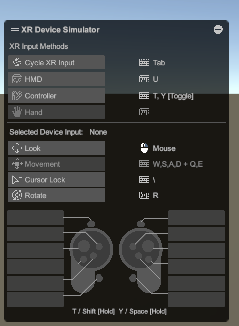
ESC누르면 Movement가 비활성화되면서 이동이 막힘
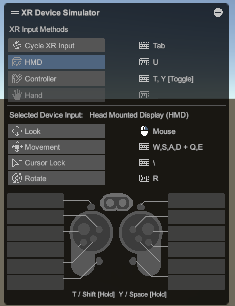
U누르면 다시 활성화
____________________________________________________________
손 마다 잡는 위치 바꾸기
public class XRGrabInteractableTwoAttach : XRGrabInteractable
{
    public Transform leftAttachTransform;
    public Transform rightAttachTransform;
protected override void OnHoverEntered(HoverEnterEventArgs args)
    {
        base.OnHoverEntered(args);

        if (args.interactorObject.transform.CompareTag("LeftHand"))
        {
            Debug.Log("래프트 핸드");
            attachTransform = leftAttachTransform;
        }
        else if (args.interactorObject.transform.CompareTag("RightHand"))
        {
            Debug.Log("라이트 핸드");
            attachTransform = rightAttachTransform;
        }
    }
기존 XRGrabInteractable 을 상속했으며,
interactorObject로 레이가 닿은 애의 정보를 받아올 수 있다

Entered라서 레이가 딱 닿았을때 한번만 호출된다
______________________________________________________
Direct Interactor
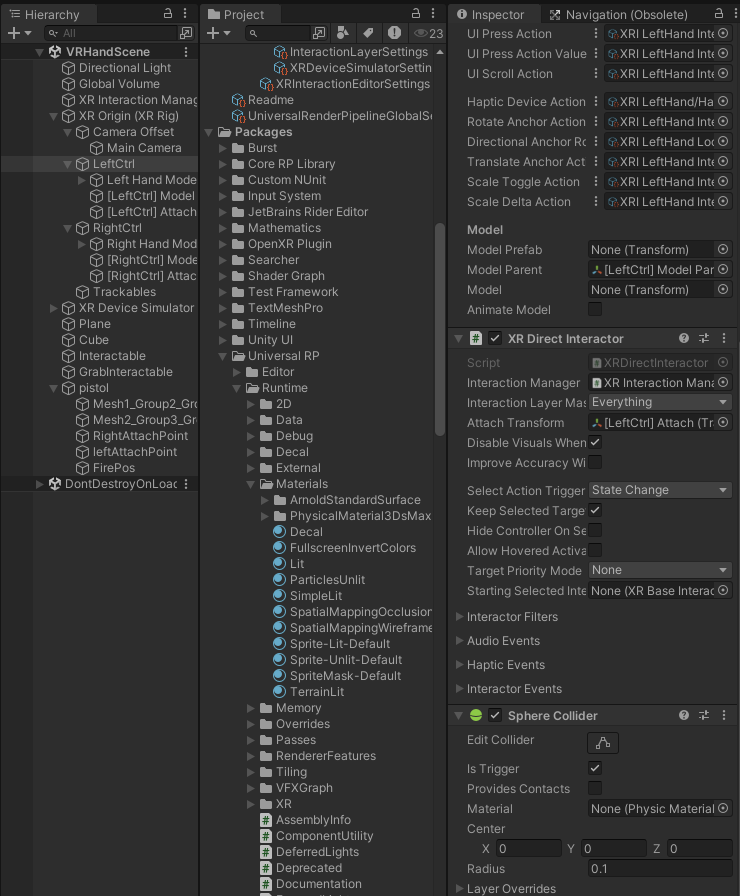
Interactor에 붙어있는 콜라이더는 IsTrigger를 체크해야 잡힌다.
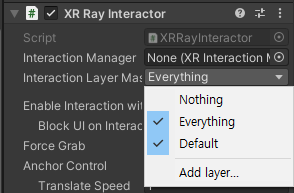
InterActor와 Interactable에는 layer를 각각 따로 설정할 수 있다
이를 응용하면 텔레포트를 제한하는 등 기능을 만들 수 있을것같다.
__________________________________________________________________________________

이런 느낌으로 에러가 난다면
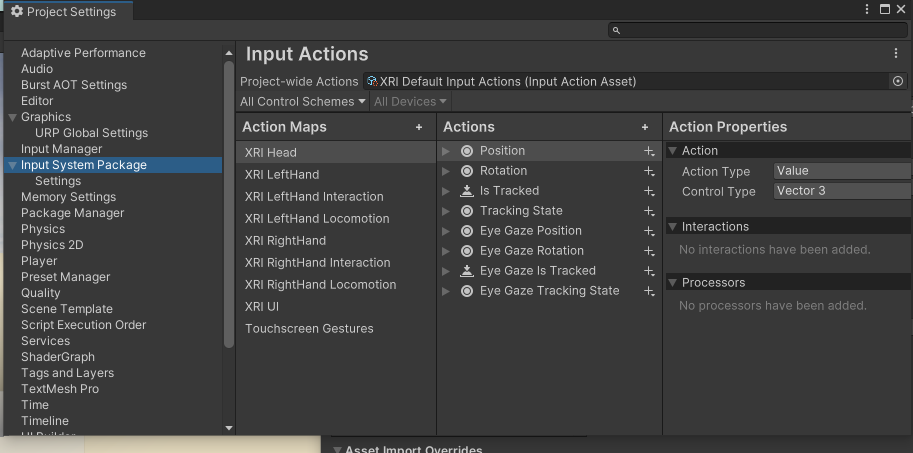
InputSystem쪽에서 저거 추가해볼것
_______________________________________________________________
Offset Grab : 내가 잡은 위치대로 잡히는 내용,
잡을때 attach point가 내 손 위치로 변함으로써 잡아도 물건의 위치가 변하지않음
// 필요한 네임스페이스를 가져옵니다.
using System;
using System.Collections;
using System.Collections.Generic;
using UnityEngine;
using UnityEngine.XR.Interaction.Toolkit; // Unity의 VR/AR 상호작용 툴킷을 사용하기 위해 필요합니다.

// XRGrabInteractable을 상속받아 기능을 확장하는 새로운 클래스를 정의합니다.
// 이 스크립트가 붙은 게임 오브젝트는 '잡을 수 있는' 속성을 가지게 됩니다.
public class XROffsetGrabInteractable : XRGrabInteractable
{

    // 스크립트가 처음 활성화될 때 한 번 호출되는 Unity 생명주기 함수입니다.
    void Start()
    {
        // attachTransform이 유니티 에디터에서 수동으로 할당되지 않았는지 확인합니다.
        // attachTransform은 물체가 컨트롤러에 붙는 기준점(피봇)입니다.
        if (!attachTransform)
        {
            // attachTransform이 없다면, 동적으로 생성합니다.
            // "Offset Grab Pivot"이라는 이름의 빈 게임 오브젝트를 생성합니다.
            GameObject attackPoint = new GameObject("Offset Grab Pivot");

            // 새로 만든 attackPoint 오브젝트를 이 스크립트가 붙어있는 오브젝트의 자식으로 설정합니다.
            // 두 번째 인자 'false'는 월드 좌표계를 기준으로 위치를 유지하지 않고, 부모에 맞춰 로컬 좌표를 리셋하겠다는 의미입니다.
            attackPoint.transform.SetParent(this.transform, false);

            // 생성된 attackPoint의 Transform 컴포넌트를 이 클래스의 attachTransform으로 할당합니다.
            // 이제부터 이 attackPoint가 잡는 기준점이 됩니다.
            attachTransform = attackPoint.transform;
        }
    }

    // 물체가 '선택'되었을 때(즉, 컨트롤러로 잡았을 때) 호출되는 함수입니다.
    // 기존 XRGrabInteractable의 함수를 재정의(override)하여 기능을 수정합니다.
    protected override void OnSelectEntering(SelectEnterEventArgs args)
    {
        attachTransform.position = args.interactorObject.transform.position;
        attachTransform.rotation = args.interactorObject.transform.rotation;
        base.OnSelectEntering(args);
    }
}
OnSelectEntering -> 실제 잡히는 과정 -> OnSelectEntered
순으로 실행된다.
즉 OnSelectEntering에서, interactor의 좌표로 attachTransform을 변화시키면,
실제 잡히는 과정에서 attach point가 내 손 위치가 되니 그대로 잡힌다.
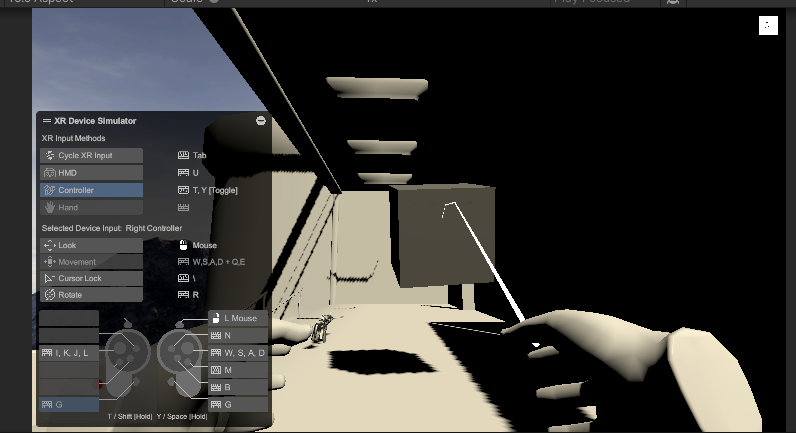
게리모드처럼 물건을 집을 수 있다.