테스트
___________________________________________________________________________
충돌 판정 만들기 :
카메라 쉐이크 : 화면 흔들리는 연출
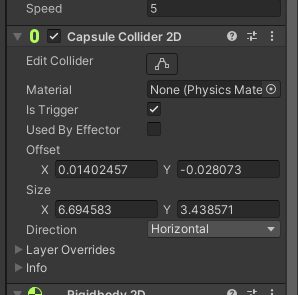
horizontal해서 맞추기
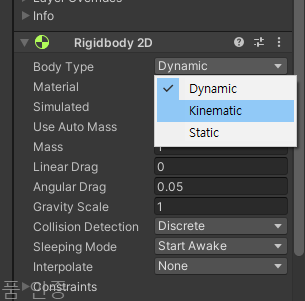
Dynamic : 중력 적용, 물리적인 상호작용에 반응
kinematic : 물리 시뮬레이션 영향받지 않음, 스크립트로만 움직임
static : 벽. 다른거랑 부딪혀도 반드시 가만히 있음
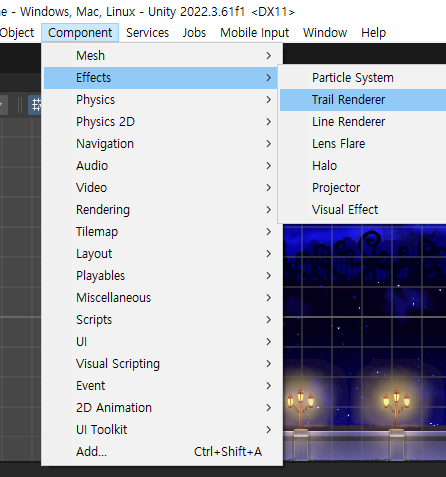
trail : 꼬리(운석 꼬리등)
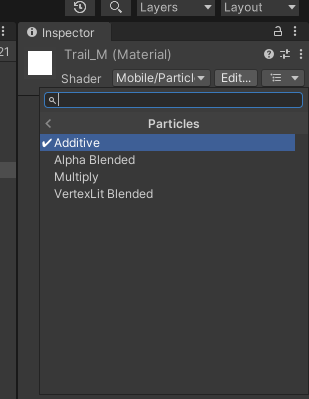
Mobile -> particles -> additive
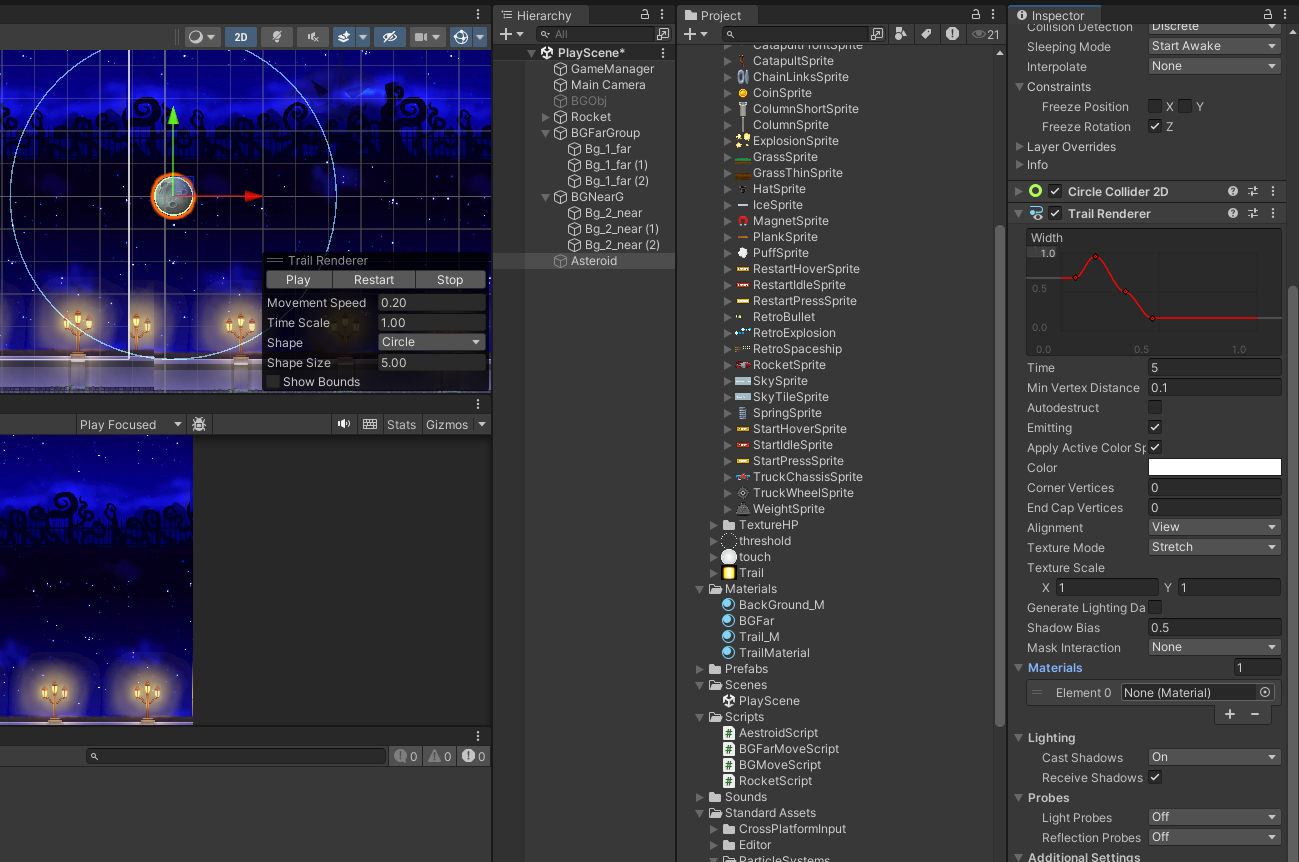
trail Renderer쪽 메터리얼에 넣기
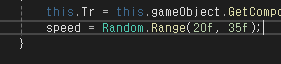
new Random 안해도 되는 이유 : 유니티쪽 Random이라서
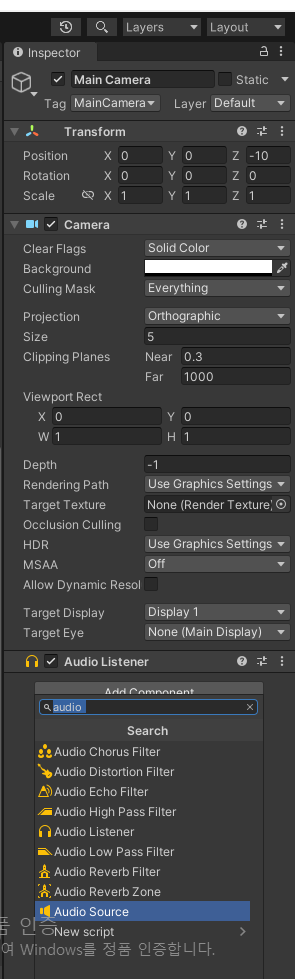
소리가 울리는 거

소리 집어넣고 loop
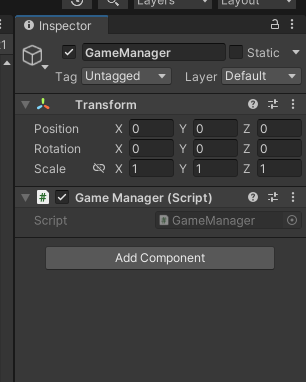
gameManager
게임 총괄
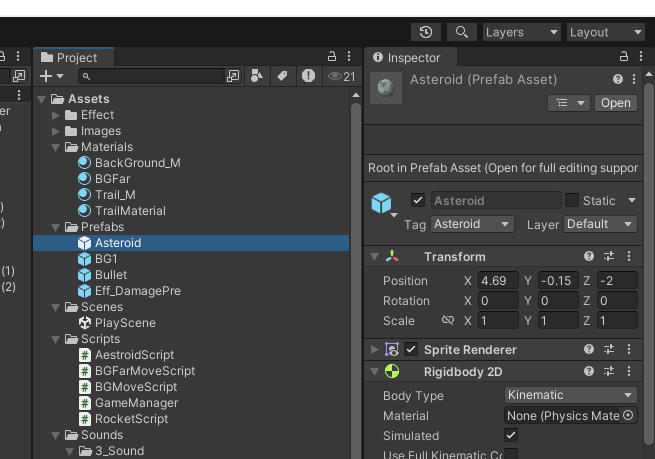
운석 프리팹으로
Instantiate(EnemyPrefab , new Vector3(20f,Random.Range(-4.5f,4.5f),EnemyPrefab.transform.position.z) , Quaternion.identity);instantiate -> 오브젝트 생성 함수
어떤걸(프리팹), 어디서(vector), 회전은 사실 잘 안씀
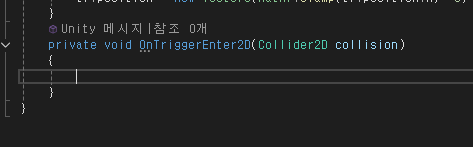
충돌 체크
새로 함수 파서 Ontrigger~~
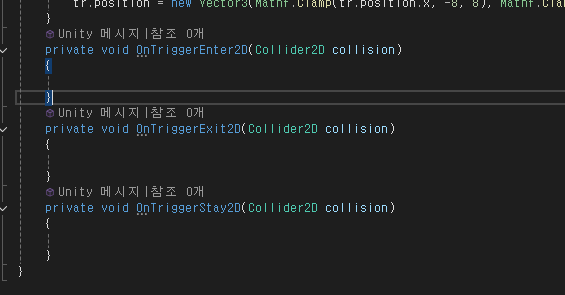
각각 닿았을때
닿고나서 떨어질때
닿는중일때
private void OnTriggerEnter2D(Collider2D collision)
{
    if(collision.tag == "Asteroid")
    {
        Debug.Log("Hit");
        var hit = Instantiate(this.HitParticlePrefab, collision.transform.position, Quaternion.identity);
        Destroy(collision.gameObject);
        Destroy(hit,1f);

    }
}
destroy에 숫자 추가로 넣으면 그 시간후 삭제
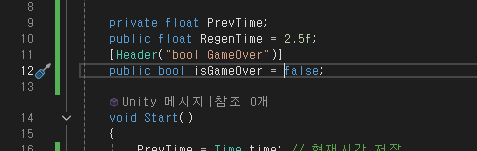
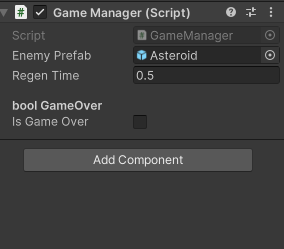
header(Attribute)
-> 창 깔끔하게 만들어줌
주석 : 개발자가 쓰고 컴파일러는 아무것도 안하고 그냥 개발자가 보는 용도
attribute : 개발자가 쓰고 유니티가 읽어서 실행
using System.Collections;
using System.Collections.Generic;
using UnityEngine;

public class GameManager : MonoBehaviour
{
    public static GameManager Instance; // 싱클톤 패턴 : 객체 생성은 한번만 되고, 다른 클래스에서 쉽게 접근하기 위해
    public GameObject EnemyPrefab;

    private float PrevTime;
    public float RegenTime = 2.5f;
    [Header("bool GameOver")]
    public bool isGameOver = false;
    [Header("CameraShake Logic Member")]
    public bool isShake = false;
    private Vector3 PosCamera; // 카메라 위치 저장
    private float beginTime; // 카메라 흔들림 시작 시간
    public RocketScript Player;

    void Start()
    {
        PrevTime = Time.time; // 현재시간 저장
        Instance = this;
        Player.HitAction += this.TurnOn;
        this.PosCamera = Camera.main.transform.position;
    }

    void Update()
    {
        if(Time.time - PrevTime > RegenTime)
        {
            AstroSpawn();
        }
        if (isShake) //카메라 흔들리는 부분
        {
            float x = Random.Range(-0.1f, 0.1f);
            float y = Random.Range(-0.1f, 0.1f);

            Camera.main.transform.position += new Vector3(x, y, 0);
            if(Time.time - beginTime >= 0.2f)
            {
                Camera.main.transform.position = PosCamera;
                this.isShake = false;
            }
        }
    }

    private void AstroSpawn()
    {
        Instantiate(EnemyPrefab, new Vector3(20f, Random.Range(-4.5f, 4.5f), EnemyPrefab.transform.position.z), Quaternion.identity);
        PrevTime = Time.time;
    }
    public void TurnOn()
    {
        this.isShake = true;

        this.beginTime = Time.time;


    }
}
using System.Collections;
using System.Collections.Generic;
using UnityEngine;
using UnityEngine.Events;
using System;
public class RocketScript : MonoBehaviour
{
private float h = 0f;
private float v = 0f;
public float speed = 5;
Transform tr;
public GameObject HitParticlePrefab;
public Action HitAction;
void Start()
{
this.tr = this.gameObject.GetComponent<Transform>();
}
void Update()
{
Move();
}
private void Move()
{
h = Input.GetAxis("Horizontal");
v = Input.GetAxis("Vertical");
Vector3 Normal = (h * Vector3.right) + (v * Vector3.up);
Normal = Normal.normalized;
tr.Translate(Normal * speed * Time.deltaTime);
tr.position = new Vector3(Mathf.Clamp(tr.position.x, -8, 8), Mathf.Clamp(tr.position.y, -4.6f, 4.6f), 0);
}
private void OnTriggerEnter2D(Collider2D collision)
{
if(collision.tag == "Asteroid")
{
Debug.Log("Hit");
var hit = Instantiate(this.HitParticlePrefab, collision.transform.position, Quaternion.identity);
Destroy(collision.gameObject);
Destroy(hit,1f);
//카메라 쉐이크
this.HitAction();
//GameManager.Instance.TurnOn();
}
}
}player쪽에서 hitAction을 선언해두고 gameManager쪽에서 Action쪽에 카메라 쉐이커부분을 할당하게 설정
수업시간에는 gameManager를 싱글톤 패턴으로 만들어서 플레이어 쪽에서 instance에 접근해서 키게 했음
'2025유니티수업' 카테고리의 다른 글
| 0502 시네머신, 마우스 클릭한 위치로 움직이기, C# (0) | 2025.05.02 |
|---|---|
| 0501 UI만들기, 유니티 애니메이션 (0) | 2025.05.01 |
| 0429 3DMax, 유니티 2D 배경 움직이기 ,C# (0) | 2025.04.29 |
| 0428 3DMax , c# (0) | 2025.04.28 |
| 0425 3DMax , c# (0) | 2025.04.25 |