
damping : 흔들림방지
[RequireComponent(typeof(NavMeshAgent))]//NavMeshAgent가 없으면 경고를 보여주는 어트리뷰트

public class Player : MonoBehaviour
{
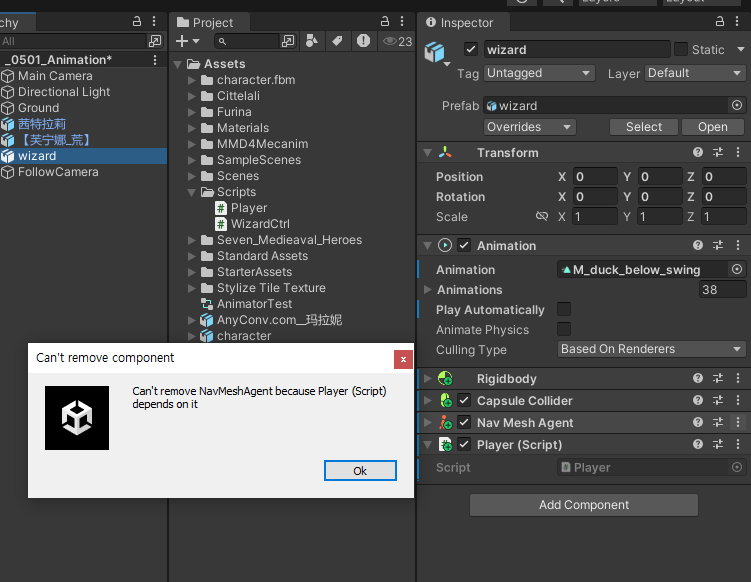
지우려하면 경고가 나옴
    [SerializeField] // private여도 인스펙터창에서 보이게 함
    private Animation playerAnimation;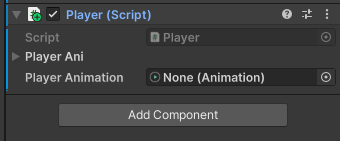
Ray : 광선 // Ray ray;
RayCastHit : 광선에 맞았는지 체크 // RaycastHit hit;
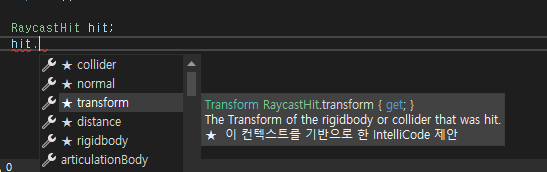
이런 느낌
        ray = Camera.main.ScreenPointToRay(Input.mousePosition); // 마우스 위치를 월드좌표로 변환
                                                                 //카메라에서 마우스위치로 광선을 쏜다.
        Debug.DrawRay(ray.origin, ray.direction * 100, Color.white);
Ray 씬화면에서 시각화
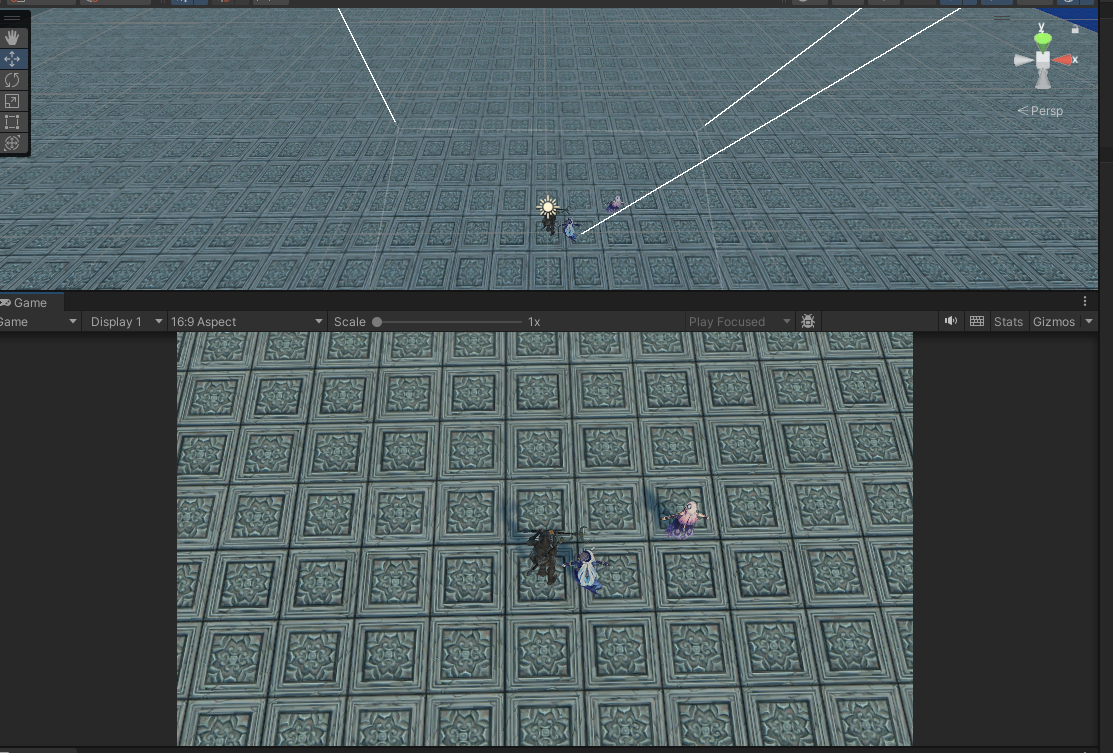
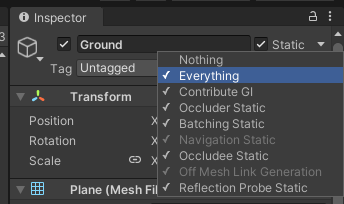
땅에 Everything으로 변환
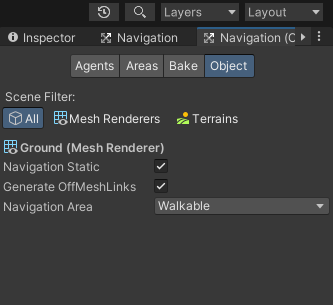
다 체크됨
nothing선택후 네비게이션 스테틱만
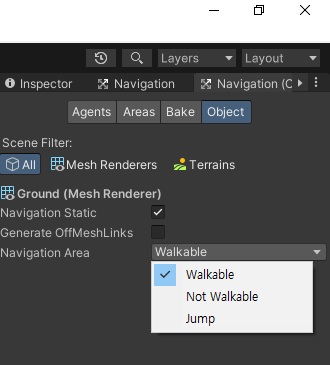
walkable : 걸을수 있는 지형
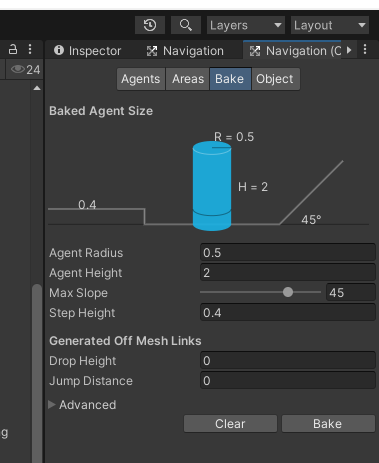
Bake누르면 땅을 다 읽어들임
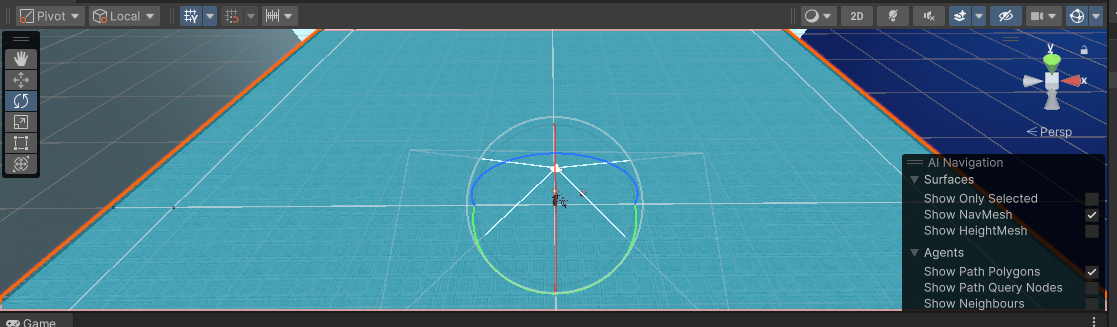
이런느낌
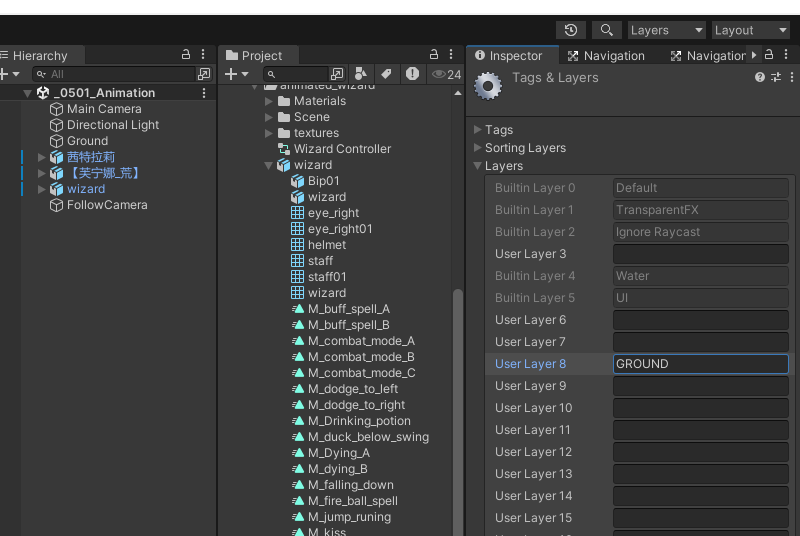
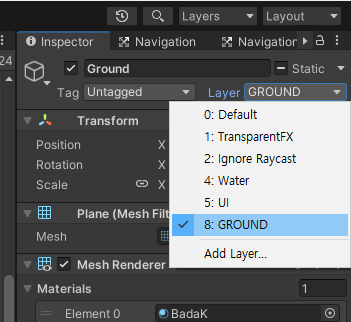
if (Input.GetMouseButtonDown(1))
{
    if(Physics.Raycast(ray, out hit , Mathf.Infinity, 1 << 8)) // 1<<8 : 8번 레이어만 체크
    {
        Debug.Log(hit.transform.position);
        target = hit.point;
        //agent.SetDestination(target);
        agent.destination = target;
        //playerAnimation.CrossFade(playerAni.Walk.name, 0.2f);
    }

}
저렇게 쓰면 8번에 넣은 Ground만 체크
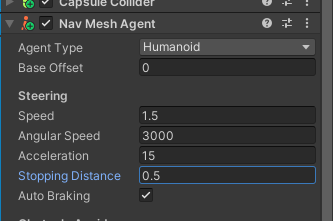
angular speed : 도는 속도
stopping distance : 얼마 전에서 멈추는가
auto braking : 목적지에 가까워지면 속도를 서서히 줄임
    void Update()
    {
        ray = Camera.main.ScreenPointToRay(Input.mousePosition); // 마우스 위치를 월드좌표로 변환
                                                                 //카메라에서 마우스위치로 광선을 쏜다.
        Debug.DrawRay(ray.origin, ray.direction * 100, Color.white);

        if (Input.GetMouseButton(1))
        {
            if (Input.GetKey(KeyCode.LeftShift))
            {

                Moving(playerAni.Run);
            }
            else
            {
                Moving(playerAni.Walk);
            }

        }

    }

    private void Moving(AnimationClip ani)
    {
        if (Physics.Raycast(ray, out hit, Mathf.Infinity, 1 << 8)) // 1<<8 : 8번 레이어만 체크
        {
            //Debug.Log(hit.transform.position);
            target = hit.point;
            //agent.SetDestination(target);
            agent.destination = target;
            playerAnimation.CrossFade(ani.name, 0.2f);
        }
    }
else
{
    if (Vector3.Distance(transform.position, target) <= 0.5f) // 플레이어와 타겟(목적지)의 거리가 0.5 이하면 (유니티 인스펙터에서 설정한 멈추는 거리랑 똑같이 설정하면 좋음)
    {
        playerAnimation.CrossFade(playerAni.Idle.name, 0.2f);
    }
}
마우스 입력받는쪽에 else로 목적지에 가까워지면(도착하면) 멈추는 코드 입력
            #region 거리를 구하는 두번째 방법
            if(agent.remainingDistance <= 0.5f)//agent 내부 값 사용, remainingDistance(남은 거리)
            {
                playerAnimation.CrossFade(playerAni.Idle.name, 0.2f);
            }
            #endregion
보통은 두번째 방법을 사용
________________________________________________________________________
        public Calculator()
        {
            num1 = 0;
            num2 = 0;
        }
        public Calculator(int num1) // 생성자도 메서드의 일종이라 오버로딩 가능
        {
            this.num1 = num1;
            this.num2 = 0;
        }
        public Calculator(int num1, int num2)
        {
            this.num1 = num1;
            this.num2 = num2;
        }
객체의 복사
        public static void A3()
        {
            //객체 복사(얕은 복사)
            MyClass source = new MyClass();
            source.num1 = 10;
            source.num2 = 20;
            MyClass target = source;
            target.num2 = 30;
            WriteLine($"{source.num1},{source.num2}\n{target.num1},{target.num2}");
            //주소만 복사 했기 때문에 target쪽에서 바꿔도 원본값도 바꿈

        }
        public static void A4()
        {
            //객체 복사(깊은 복사)
            MyClass2 source = new MyClass2();
            source.num1 = 10;
            source.num2 = 20;
            MyClass2 target = source.DeepCopy();
            target.num2 = 30;
            WriteLine($"{source.num1},{source.num2}\n{target.num1},{target.num2}");
            //값까지 복사 했기 때문에 target쪽에서 바꾸면 타겟값만 바꿈
        }
this 생성자
public class MyClass3
{
    int a , b, c;
    public MyClass3()
    {
        this.a = 1234;
    }public MyClass3(int b) : this()
    {
        //this.a = 1234;
        this.b = b;
    }
    public MyClass3(int b, int c) : this(b)
    {
        //this.a = 1234;
        //this.b = b;
        this.c = c;
    }

}
자기 자신(생성자)를 호출하면서 추가로 저것까지 호출한다는 느낌
'2025유니티수업' 카테고리의 다른 글
| 0508 휴머노이드 애니메이션(애니메이션 정상 작동 시키기 포함) , C# 클래스 상속 (0) | 2025.05.08 |
|---|---|
| 0507 마우스 클릭해서 이동하기_2(더블클릭 구현), 메카님 방식 애니메이터, C# (0) | 2025.05.07 |
| 0501 UI만들기, 유니티 애니메이션 (0) | 2025.05.01 |
| 0430 3DMax, 2D게임 만들기 (0) | 2025.04.30 |
| 0429 3DMax, 유니티 2D 배경 움직이기 ,C# (0) | 2025.04.29 |