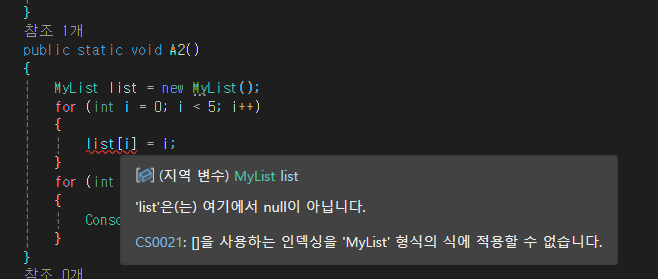
//인덱싱

class MyList
{
    private int[] arr;
    public MyList()
    {
        arr = new int[3];
    }
    public int this[int index]
    {
        get
        {
            return arr[index];
        }
        set //인덱스를 이용해서 값을 넣을때
        {
            if (index >= arr.Length) // 초기화된 배열보다 더 크게 쓰려하면
            {
                Array.Resize(ref arr, index + 1); //크기 늘리기
                Console.WriteLine("Resized");
            }
            arr[index] = value; // 값을 넣는 부분
        }
    }
    public int Length
    {
        get { return arr.Length; }
    }
}

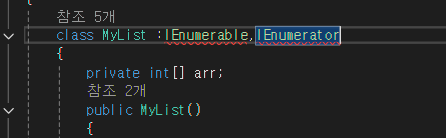
자료형을 만들었을때 foreach를 돌릴수 없음
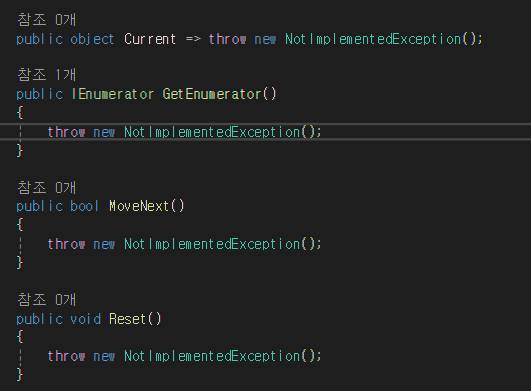
public object Current
{
    get
    {
        return arr[position];
    }
}
public bool MoveNext()
{
if(position == arr.Length - 1)
{
Reset(); // 마지막 요소에 도달하면 리셋 호출
return false; // 더 이상 요소가 없으면 false 반환
}
position++;
return position < arr.Length; // 현재 위치가 배열의 길이보다 작으면 true반환
}
public void Reset()
{
position = -1; // 처음으로 돌림
}
완성본
 class MyList :IEnumerable,IEnumerator
 {
     private int[] arr;
     int position = -1;
     public MyList()
     {
         arr = new int[3];
     }
     public int this[int index]
     {
         get
         {
             return arr[index];
         }
         set
         {
             if (index >= arr.Length)
             {
                 Array.Resize(ref arr, index + 1);
                 Console.WriteLine("Resized");
             }
             arr[index] = value;
         }
     }
     public int Length
     {
         get { return arr.Length; }
     }

     public object Current
     {
         get
         {
             return arr[position];
         }
     }

     public IEnumerator GetEnumerator()
     {
         return this; // 현재 객체 반환
     }

     public bool MoveNext()
     {
         if(position == arr.Length - 1)
         {
             Reset(); // 마지막 요소에 도달하면 리셋 호출
             return false; // 더 이상 요소가 없으면 false 반환
         }
         position++;
         return position < arr.Length; // 현재 위치가 배열의 길이보다 작으면 true반환
     }

     public void Reset()
     {
         position = -1;
     }
 }
일반화 프로그래밍(T)
static void CopyArray<T>(T[] source, T[] target)
{
    for (int i = 0; i<source.Length ; i++)
    {
        target[i] = source[i];
    }
}
T부분은 나중에 컴파일때 코드에서 결정됨
class MyList_2 <T>: IEnumerable<T>, IEnumerator<T>
{
    private T[] arr;
    int position = -1; //배열위치를 나타내는 변수
    public MyList_2()
    {
        arr = new T[3];
    }
    public T this[int index] // 인덱서(property) 정의
    {
        get
        {
            return arr[index];
        }
        set
        {
            if (index >= arr.Length)
            {
                Array.Resize<T>(ref arr, index + 1); // 배열 크기 조정
                Console.WriteLine($"Array Resized : {arr.Length}");
            }
            arr[index] = value; // 인덱스에 해당하는 값 설정

        }
    }
    public int Length
    {
        get { return arr.Length; }
    }

    public T Current
    {
        get { return arr[position]; }
    }

    object IEnumerator.Current
    {
        get { return arr[position]; }
    }

    public void Dispose()
    {
//리소스 해제부분, 가비지 컬렉터가 자동으로 처리해서 비워놓아도 됨
//사실 뭔가 넣어야하지만 어려워서 우선 생략
    }

    public IEnumerator<T> GetEnumerator()
    {
        return this;
    }

    public bool MoveNext()
    {
        if(this.position == arr.Length-1)
        {
            Reset();
            return false;
        }
        position++;
        return position < arr.Length;
    }

    public void Reset()
    {
        position = -1;
    }

    IEnumerator IEnumerable.GetEnumerator()
    {
        return this;
    }
}
__________________________________________________________________________
총바꾸기
총바꾼 뒤 연사로 전환
미니맵 카메라
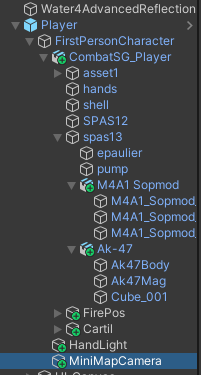
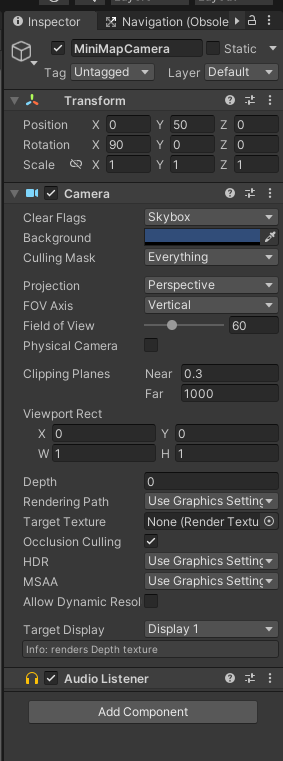

depth : 숫자가 높을 수록 그 카메라가 화면에 나옴
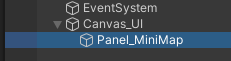
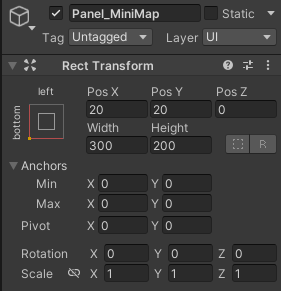
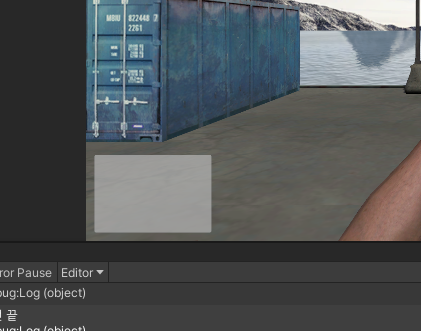
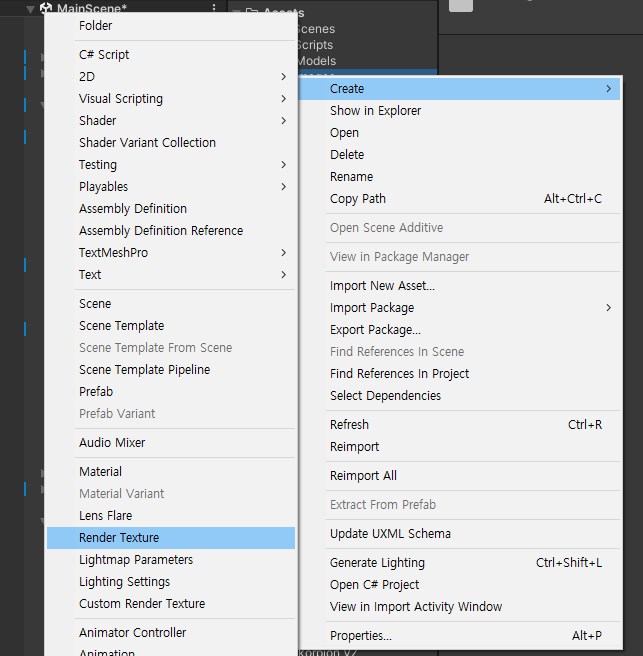
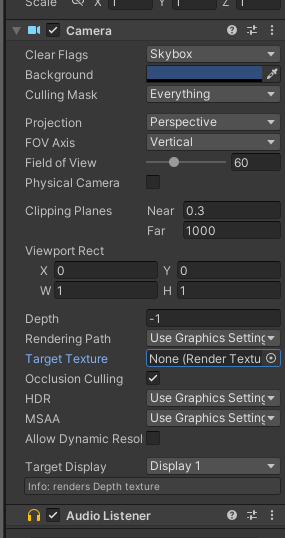
렌더 텍스쳐 추가후 미니맵 카메라에 할당
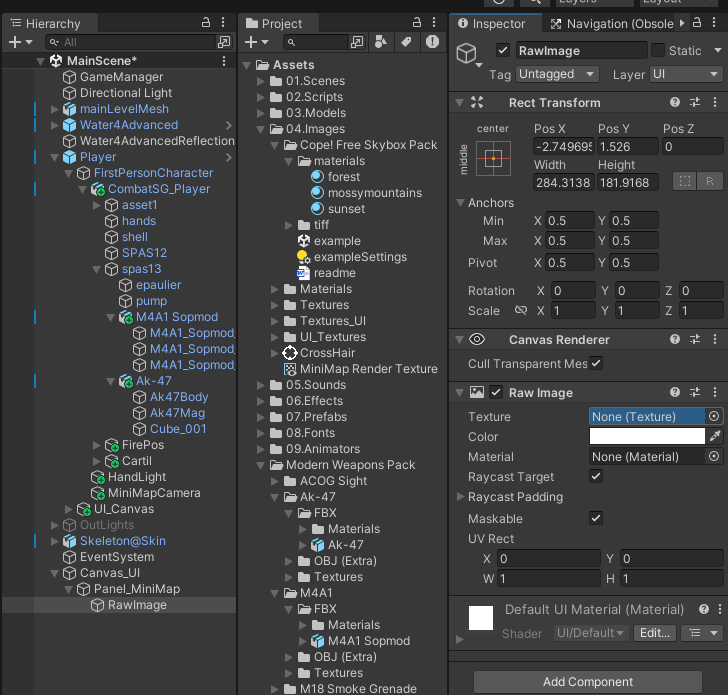
rawImage만들어서 texture에 방금 만든 렌더 텍스쳐 할당
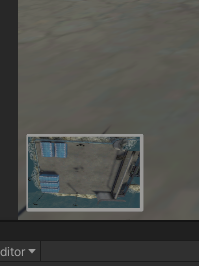
카메라가 됨
'2025유니티수업' 카테고리의 다른 글
| 0611 C#(이벤트 핸들러, 대리자) (0) | 2025.06.11 |
|---|---|
| 0610 C#(일반화 자료형 T, Dictionary, try catch 예외처리) (0) | 2025.06.10 |
| 0605 C#(2차원, 3차원 배열, 대리자) , 유니티(코루틴) (0) | 2025.06.05 |
| 0604 C#(List, (0) | 2025.06.04 |
| 0603 C#(프로퍼티, 무명형식) (0) | 2025.06.03 |