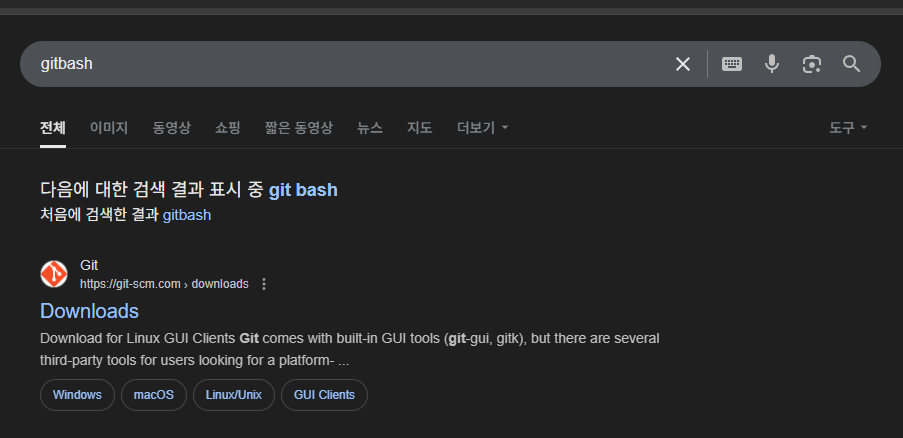
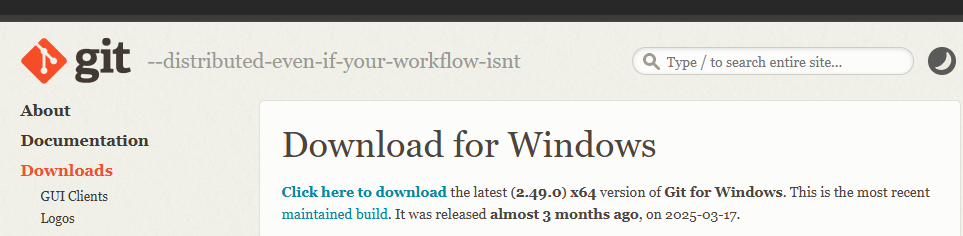
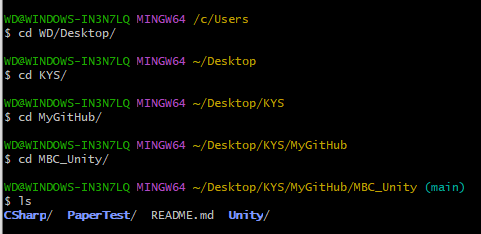
GitBash : 명령어로 깃허브에서 프로젝트 관리
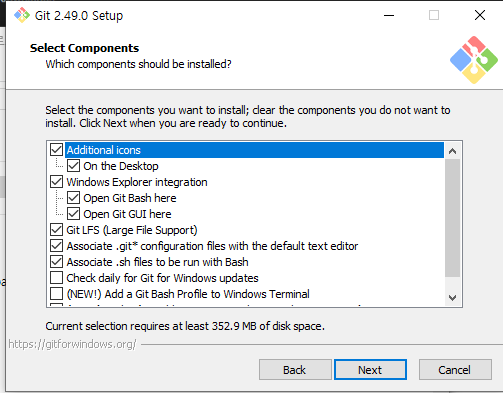
이후 전부 Next
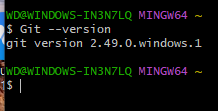
____________________________________________________________________
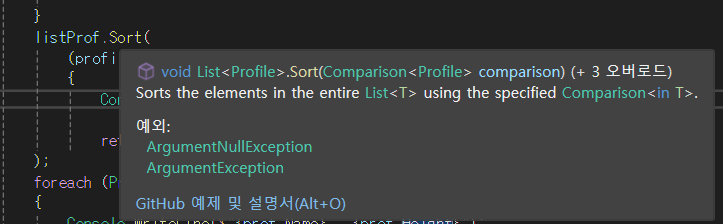
Sort에 매개변수로 람다식 보내기 가능
listProf.Sort(
    (profile1, profile2) =>
    {

        return profile2.Height - profile1.Height; }
);
내림차순 오름차순 정하는 식을 전달 가능
            Profile[] profiles =
            {
                new Profile(){Name = "asdf" , Height = 1557},
                new Profile(){Name = "sdfg" , Height = 1601},
                new Profile(){Name = "dfgh" , Height = 15571601},
                new Profile(){Name = "jghkl" , Height = 88848},
                new Profile(){Name = "qwer" , Height = 888484}
            };

            List<Profile> listProf = new List<Profile>();
            foreach (Profile prof in profiles)
            {
                if(prof.Height > 1601)
                {
                    listProf.Add(prof);
                }

            }
            listProf.Sort(
                (profile1, profile2) =>
                {

                    return profile2.Height - profile1.Height; }
            );


            foreach (Profile prof in listProf)
            {
                Console.WriteLine($"{prof.Name} , {prof.Height}");
            }


                class Profile
    {
        public string Name { get; set; }
        public int Height { get; set; }

    }

    //LinQ안쓴 버전
        public static void A2()
        {
            //Linq를 써서 위에 적은 내용(A1) 구현
            Profile[] arrProfile =
            {
                new Profile(){Name = "asdf" , Height = 1557},
                new Profile(){Name = "sdfg" , Height = 1601},
                new Profile(){Name = "dfgh" , Height = 15571601},
                new Profile(){Name = "jghkl" , Height = 88848},
                new Profile(){Name = "qwer" , Height = 888484}
            };

            var profiles = from profile in arrProfile //어디서 값을 가져오는가(in) , 가져온 값의 이름을 뭘로 쓸건가(from)
                           where profile.Height > 1601 // 어떤 조건으로 가져오는가
                           orderby profile.Height ascending //어떤걸 기준으로 정렬하는가,
                                                            //뒤에 asc dec등을 붙여서 오름차순인지 내림차순인지
                           select profile; //그 기준대로 값을 선택 , 쿼리문의 마지막이 select가 아니면 에러

            foreach (Profile prof in profiles)
            {
                Console.WriteLine($"{prof.Name}, {prof.Height}");
            }
        }


        //LinQ버전
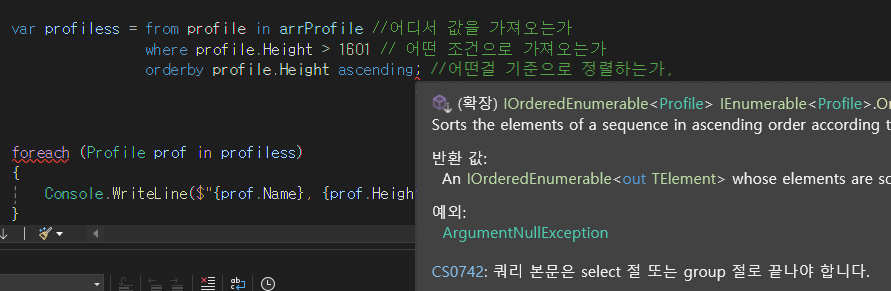
쿼리문 마지막에 select로 안끝나면 에러
        public static void A3()
        {
            List<int> ints = new List<int>();
            Random r = new Random();
            for (int i = 0; i < 10; i++)
            {
                ints.Add(r.Next(1, 101));
            }
            foreach (int i in ints)
            {
                Console.WriteLine(i);
            }

            Console.WriteLine("\n\n\n");
            var intQ = from inte in ints
                       where inte % 2 == 0
                       orderby inte descending
                       select inte;

            foreach (int i in intQ)
            {
                Console.WriteLine(i);
            }
        }

        //LinQ예제 2
            var prof = from profile in arrProfile
                       where profile.Height >= 175
                       orderby profile.Height
                       select new {Name = profile.Name, Height = profile.Height * 0.393f };
                       //select에서 값을 변환시킬 수 있음

            foreach (var p in prof)
            {
                Console.WriteLine($"{p.Name} , {p.Height}");
            }
이때 foreach쪽에 잡히는 p 의 타입은
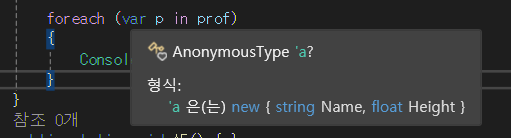
무명타입
            Class[] arrClass =
            {
                new Class(){ Name = "연두반" , Scores = new int[]{99,80,70,24 } },
                new Class(){ Name = "ㄱ" , Scores = new int[]{123,234,456,698 } },
                new Class(){ Name = "ㄴ" , Scores = new int[]{34,56,723,7 } },
                new Class(){ Name = "ㄷ" , Scores = new int[]{435,634,456,345 } },

            };

            var classes = from cls in arrClass
                          from s in cls.Scores
                          where s < 200
                          select new { Name = cls.Name, Score = s};
            foreach (var s in classes)
            {
                Console.WriteLine($"{s.Name} , {s.Score}");
            }

            //LinQ예제 3
        public static void A6()
        {
            Profile[] arrProfile =
  {
    new Profile(){Name="정우성",Height =186},
    new Profile(){Name="김신영",Height =158},
    new Profile(){Name="박은빈",Height =172},
    new Profile(){Name="이정재",Height =178},
    new Profile(){Name="하하" ,Height =171}
            };
            var listProfile = from prof in arrProfile
                              orderby prof.Height
                              group prof by prof.Height < 175 into g
                              select new { GroupKey = g.Key , Profile = g};

            foreach (var prof in listProfile)
            {
                Console.WriteLine($"{prof.GroupKey} , {prof.Profile}");
                foreach (var a in prof.Profile)
                {
                    Console.WriteLine($"{a.Name} , {a.Height}");
                }
            }
        }


        //LinQ group by 예제
group ~~ by ## into **
=> ##이라는 조건으로 ~~를 나눠서 **에 넣는다
//결과

//조건에 true인 애들
True , System.Linq.Grouping`2[System.Boolean,_0616_CSharp.Profile]
김신영 , 158
하하 , 171
박은빈 , 172

//조건에 false인 애들
False , System.Linq.Grouping`2[System.Boolean,_0616_CSharp.Profile]
이정재 , 178
정우성 , 186
            var groupedClasses = from cls in arrClass
                                 from score in cls.Scores
                                 group new { cls.Name, Score = score } by score >= 60 into ss
                                 select new { GroupKey = ss.Key, Values = ss.ToList() };

            foreach (var group in groupedClasses)
            {
                Console.WriteLine($"--- {(group.GroupKey ? "60점 이상" : "60점 미만")} ---");
                foreach (var item in group.Values)
                {
                    Console.WriteLine($"이름: {item.Name}, 점수: {item.Score}");
                }
            }


            //LinQ 예제 4 / group by 활용법
Profile[] arrProfile =
{
    new Profile(){Name="정우성",Height =186},
    new Profile(){Name="김신영",Height =158},
    new Profile(){Name="박은빈",Height =172},
    new Profile(){Name="이정재",Height =178},
    new Profile(){Name="하하" ,Height =171}
};
Product[] arrProduct =
{
    new Product(){Title ="서울의 봄", Star ="정우성"},
    new Product(){Title ="CF 다수", Star ="박은빈"},
    new Product(){Title ="이상한변호사 우영우", Star ="박은빈"},
    new Product(){Title ="코미디 빅리그", Star ="김신영"},
    new Product(){Title ="오징어게임", Star ="이정재 " }
};

var ProfJoinProd = from prof in arrProfile
                   join prod in arrProduct on prof.Name equals prod.Star
                   select new { Name = prof.Name , Title = prod.Title };

foreach (var prof in ProfJoinProd)
{
    Console.WriteLine($"{prof.Name} , {prof.Title}");
}

//join
정우성 , 서울의 봄
김신영 , 코미디 빅리그
박은빈 , CF 다수
박은빈 , 이상한변호사 우영우
//결과
//결과에 하하가 나오지 않음 : product쪽에 없기때문
//내부 joinvar ProfJoinProd2 = from prof in arrProfile
join prod in arrProduct on prof.Name equals prod.Star into ps
from prod in ps.DefaultIfEmpty(new Product() {Title = "없음" })
//새로운 prod를 가져오고 나서 select쪽에서 prod사용 가능
select new { Name = prof.Name, Title = prod.Title };
foreach (var prof in ProfJoinProd2)
{
Console.WriteLine($"{prof.Name} , {prof.Title}");
}
//join, 외부 join정우성 , 서울의 봄
김신영 , 코미디 빅리그
박은빈 , CF 다수
박은빈 , 이상한변호사 우영우
이정재 , 오징어게임
하하 , 없음
__________________________________________________________________________
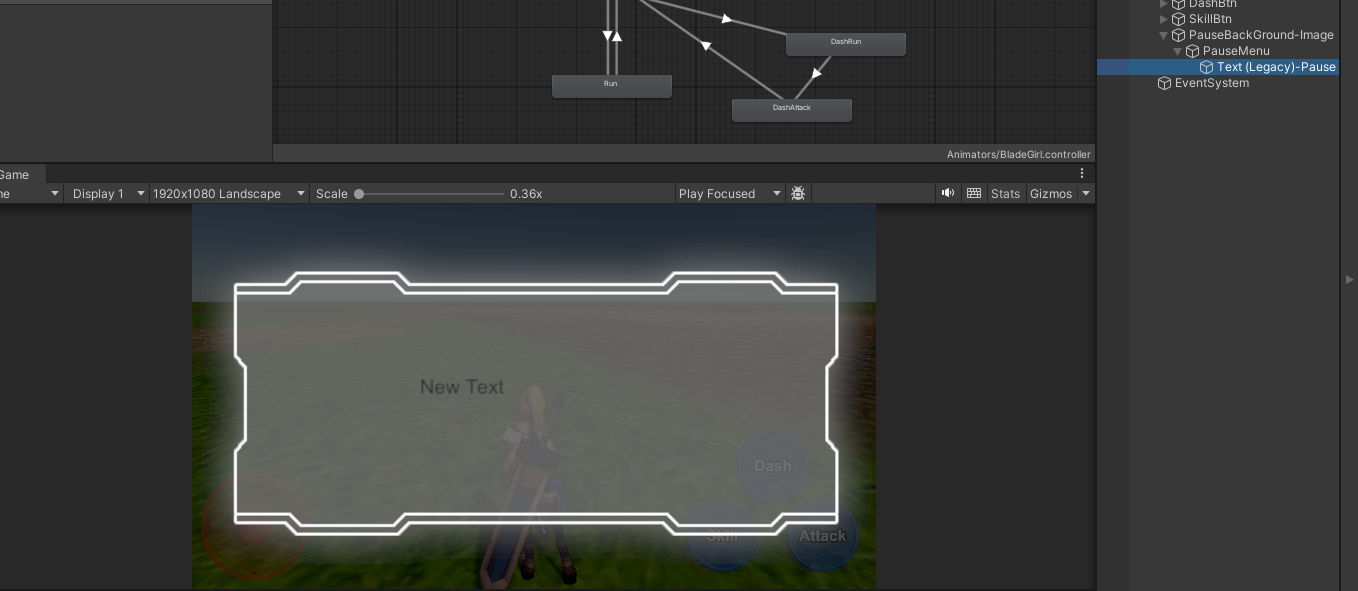
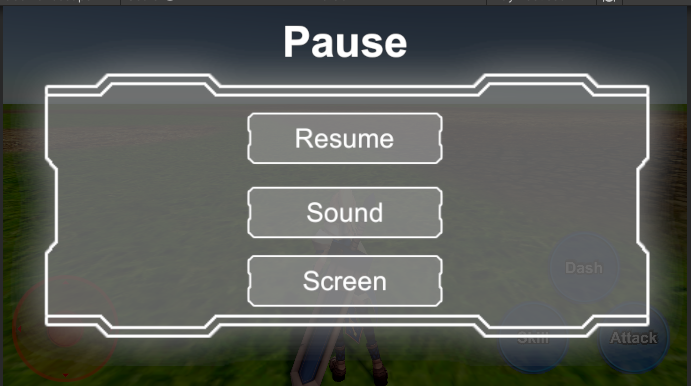
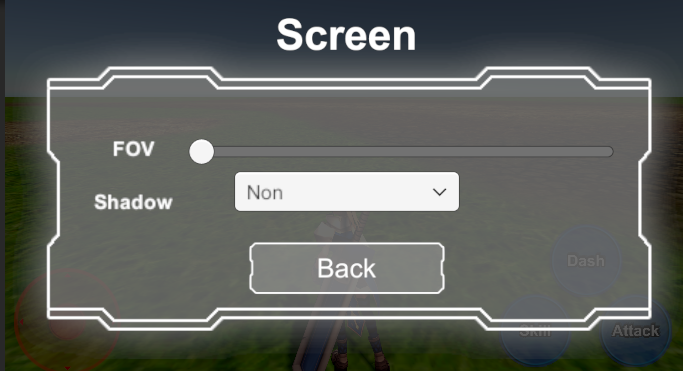
    private void ESCKeyDown()
    {

        if (Input.GetKeyDown(KeyCode.Escape)) //esc를 눌렀을때
        {
            if (!isPaused) //멈춰진 상태가 아니면
                Pause(); //멈춤
            else//멈춰진 상태면
            {
                Resume(); // 재시작
            }
        }
    }

    private void Pause()
    {
        this.isPaused = !isPaused;
        Time.timeScale = 0;
        if (!this.PauseBackGroundIMG.gameObject.activeInHierarchy)
        {
            if (!PauseMenu.gameObject.activeInHierarchy)
            {
                PauseMenu.gameObject.SetActive(true);
                SoundMenu.gameObject.SetActive(false);
                ScreenMenu.gameObject.SetActive(false);
            }

        }
        this.PauseBackGroundIMG.gameObject.SetActive(true);
    }
    public void Resume()
    {
        Time.timeScale = 1;
        this.PauseBackGroundIMG.gameObject.SetActive(false);
        this.isPaused = !isPaused;
    }

    public void Sound(bool isOpen)
    {
        if (!isOpen) //열려진 상태가 아니였다면
        {
            PauseMenu.gameObject.SetActive(false);
            SoundMenu.gameObject.SetActive(true);//열고 다른거 닫음
            ScreenMenu.gameObject.SetActive(false);
        }
        else //열려진 상태였다면
        {
            PauseMenu.gameObject.SetActive(true);//다시 원래 pauseMenu키고
            SoundMenu.gameObject.SetActive(false);//음량설정은 닫음
            ScreenMenu.gameObject.SetActive(false);
        }
    }
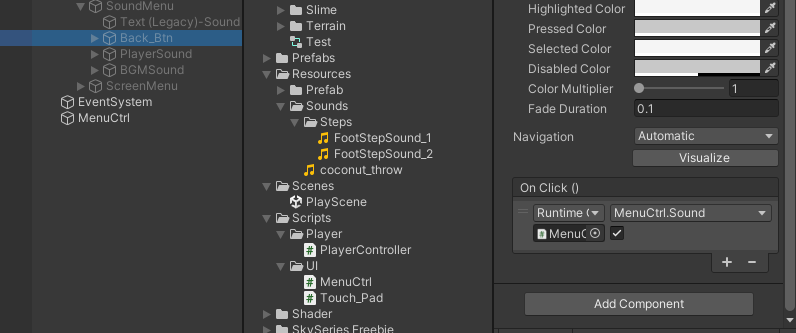
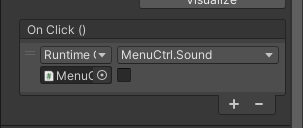
슬라이더
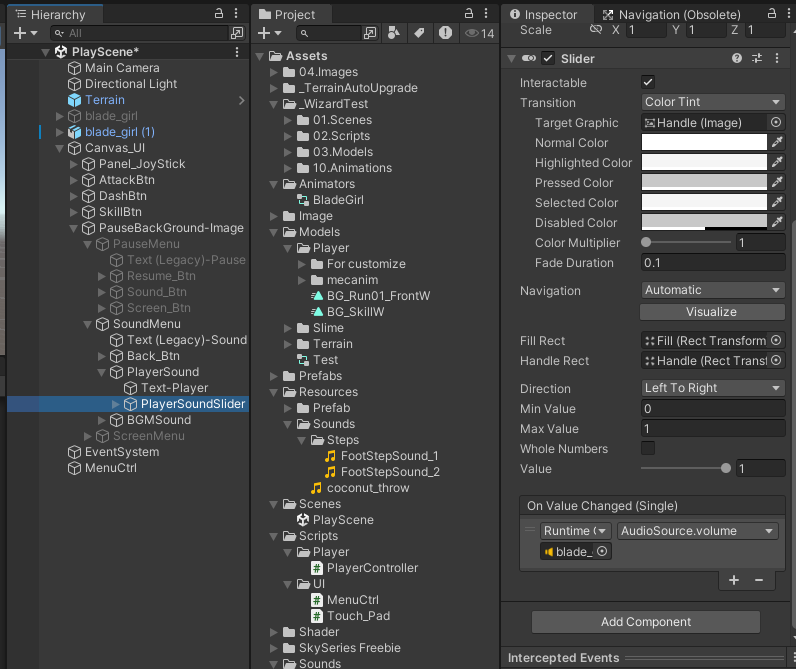
사운드 조절 슬라이더의 예
소리 내는 애를 할당 후 audioSource.Volume을 슬라이더에 할당
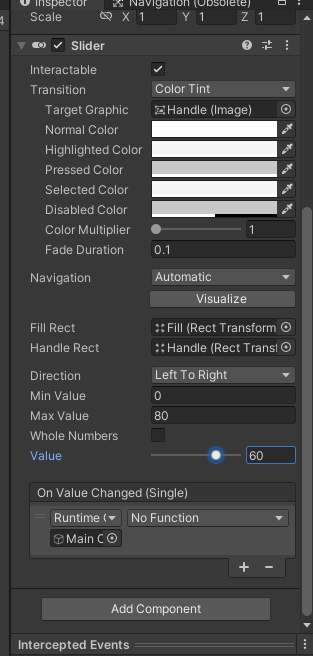
최소값과 최대값을 설정 가능한 모습
'2025유니티수업' 카테고리의 다른 글
| 0618 깃허브 데스크톱 , 유니티 (0) | 2025.06.18 |
|---|---|
| 0617 C#(어트리뷰트) ,유니티(TPS) (0) | 2025.06.17 |
| 0611 C#(이벤트 핸들러, 대리자) (0) | 2025.06.11 |
| 0610 C#(일반화 자료형 T, Dictionary, try catch 예외처리) (0) | 2025.06.10 |
| 0609 C#(리스트 직접 만들기), 유니티 (0) | 2025.06.09 |