1. 버츄얼 카메라의 노이즈 속성 변경
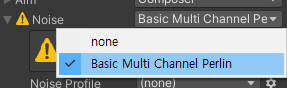
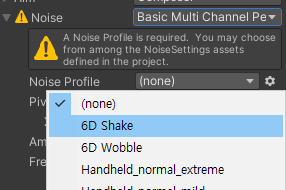
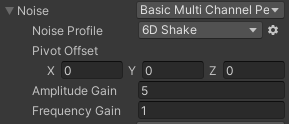
이러면 카메라가 계속 흔들림
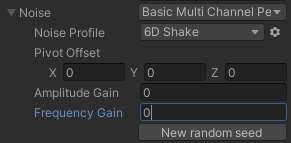
둘다 0으로 하면 멈춤
*Amplitude Gain : 카메라 흔들림의 세기
*Frequency Gain : 카메라 흔들림의 속도
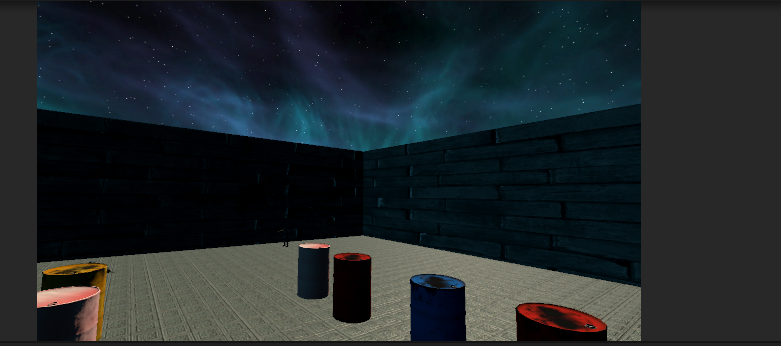
Amplitude 값을 올리면 카메라의 위치가 이상해짐
그 값만큼 카메라가 멀리 가게 되고, New random seed누를때마다 그정도의 거리만큼 다른곳을 잡음
Frequency Gain은 그 정도 속도만큼 매번 New random seed를 부르는 효과
코드
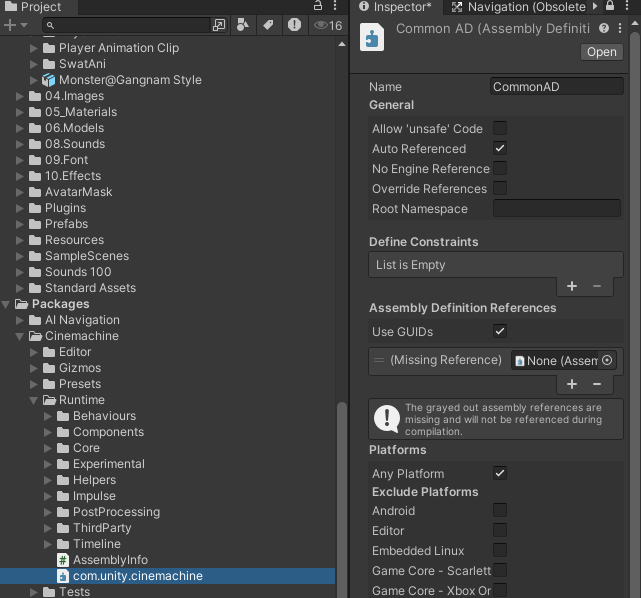
Cinemachine 관련 코드를 사용하기 위해 commonAD에 cineMachine AD를 참조로 넣음
public class CameraCtrl : MonoBehaviour
{
    CinemachineVirtualCamera vc;
    CinemachineBasicMultiChannelPerlin noise;
    private void Awake()
    {
        BarrelCtrl.shakeAction += this.ShakeCamera;//베럴에 Action할당 후 안에 ShakeCamera를 넣음
    }
    void Start()
    {
        vc = this.GetComponent<CinemachineVirtualCamera>();
        this.noise = vc.GetCinemachineComponent<CinemachineBasicMultiChannelPerlin>();
        this.StopCameraShake(); // 시작할때 안흔들게 초기화
    }
    public void StopCameraShake() //카메라 그만 흔드는거
    {
        noise.m_AmplitudeGain = 0.0f;
        noise.m_FrequencyGain = 0.0f;
    }
    public void ShakeCamera() // 카메라 흔들리는거
    {
        noise.m_AmplitudeGain = 5.0f;
        noise.m_FrequencyGain = 3.0f;
        StartCoroutine(WaitRunMethod(this.StopCameraShake, 1.5f));//1.5초 뒤에 카메라 그만 흔들기
    }
    IEnumerator WaitRunMethod(Action action, float sec)
    {
        yield return new WaitForSeconds(sec);
        action();
    }
}
Collider[] cols = Physics.OverlapSphere(this.transform.position, radius, 1<< 13|1<<7); // 비트 연산자는 or쓸때 | 1개
foreach (Collider col in cols)
{
    var _rb = col.GetComponent<Rigidbody>();
    _rb.mass = 1;
    _rb.AddExplosionForce(800f, transform.position, this.radius,500f);
    //col.GetComponent<BarrelCtrl>().Explosion();
    col.gameObject.SendMessage("Die", SendMessageOptions.DontRequireReceiver);
    //20반경 안에 있는 애들만 Die 실행
    // 13번 레이어인 애는 Die가 없을거라 예외처리
    // 이런거 쓸거면 Die라는 이름이 겹치지 않게 최대한 작명 규칙을 빡빡하게 해야함
}
_____________________________________________________________
UI 동적할당
1. BloodScreen
this.bloodScreen.DOFade(1, 0.2f).OnComplete(() =>
{
    this.bloodScreen.DOFade(0, 1);
});

Dotween사용
근데 만약 Assembly Definition사용중이라면 기본적인 기능만 사용되고 DOFade가 안보일 수 있음
Assembly Definition을 따로 생성해서 참조해야함
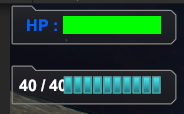
hp 맞으면 바뀌는거
총 쏘면 바뀌는거
*Enemy Hp Bar 동적 생성
1. Canvas -> RenderMode -> WorldSpace
이 방법은 플레이어와의 거리에 따라 UI크기가 달라진다
2. 동적 생성
적 캐릭터의 월드좌표를 스크린 좌표로 변경해서 UI항목 크기가 고정된 형태로 구현하는 방식
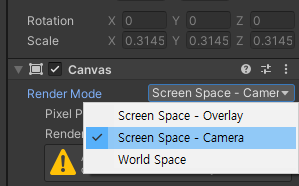
Screen Space - Camera : Camera에 따로 구현하는 방식
UI카메라 따로 생성
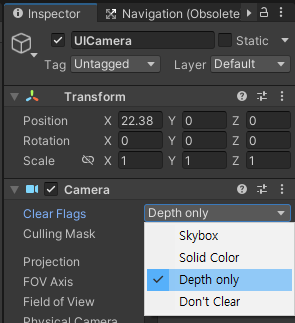
Depth Only : Depth에 따라서 카메라끼리 오버레이 될수 있음
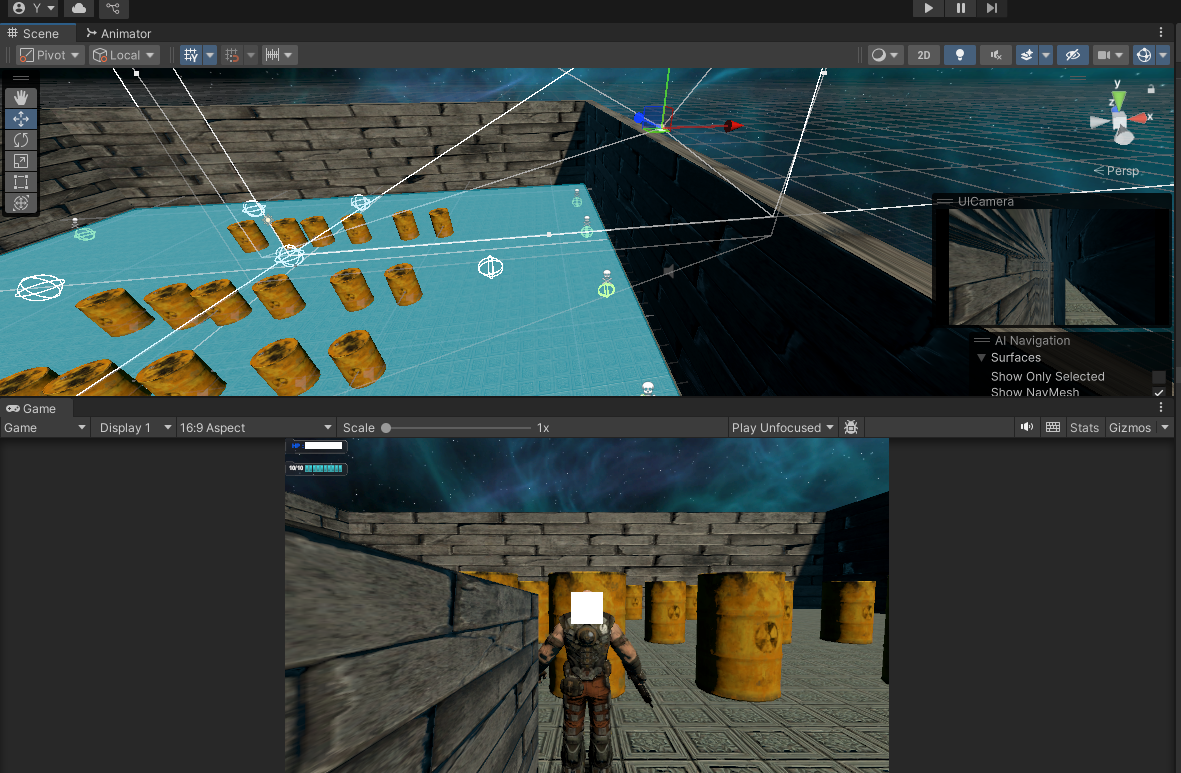
왼쪽아래 벽이 보이는거 : UI카메라의 시선
_____________________________________________________
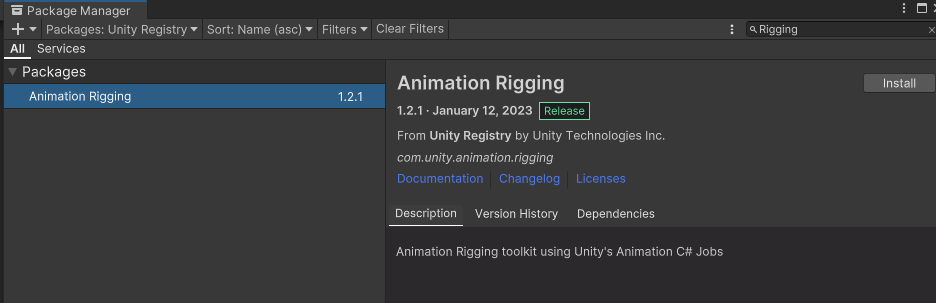
상체가 따로 움직이게 하는거
나중에 이걸로 할 예정
____________________________________________________
Awake
OnEnable
Start
FixedUpdate
OnTriggerEnter2d 3d Exit
OnCollisionEnter    Exit
yiled WaitForFixedUpdate
OnMouse
Update
yiled null
yiled WaitForSecond
LateUpdate
OnApplication Quit
OnDisable
OnDestroy
최소한 숙지해야하는 순서
Awake -> OnEnable -> Start -> FixedUpdate -> Update -> LateUpdate -> OnDisable -> OnDestroy
'2025유니티수업' 카테고리의 다른 글
| 0626 깃허브 , 데이터 저장/불러오기 (1) | 2025.06.26 |
|---|---|
| 0625 비주얼 스튜디오 코드, 깃허브, 유니티(오쿨루전 컬링) , 유니티 button navigation (0) | 2025.06.25 |
| 0623 Git Bash(리액터를 이용한 업로드), 유니티(카메라 쉐이크) (0) | 2025.06.23 |
| 0620 깃허브 데스크톱(프로젝트 삭제, 다운로드), 유니티( 오브젝트 풀링,Avatar Mask) (0) | 2025.06.20 |
| 0619 C#(try, catch), 유니티(적 patrol) (0) | 2025.06.19 |