* 유니티 맵에 안개끼게 하기
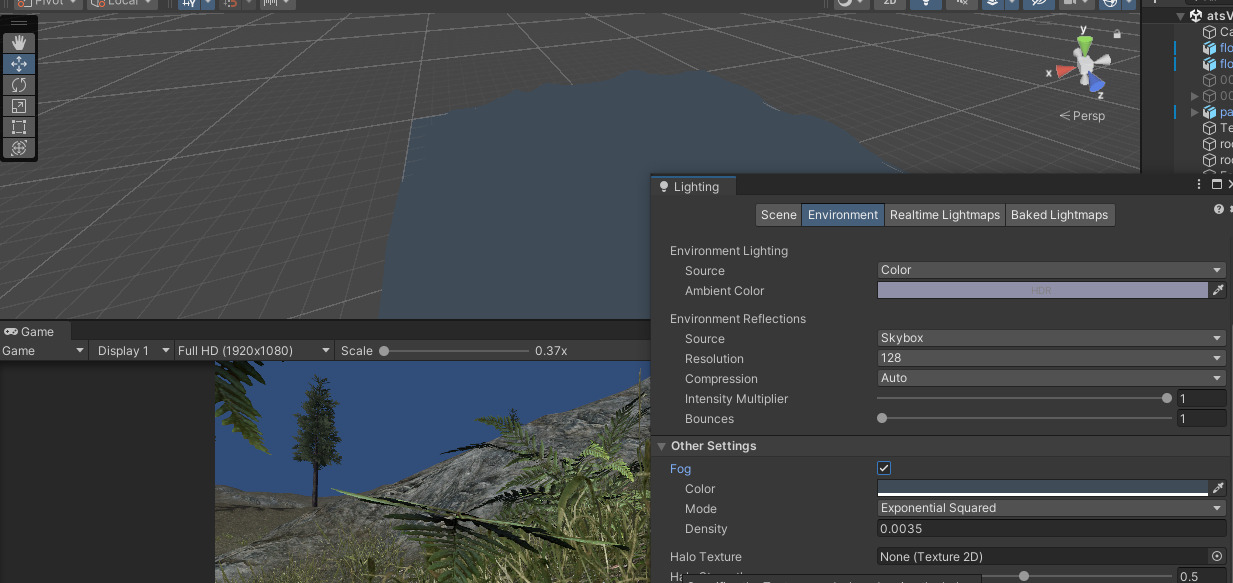
멀어지면 안보이게 안개가 끼는 효과
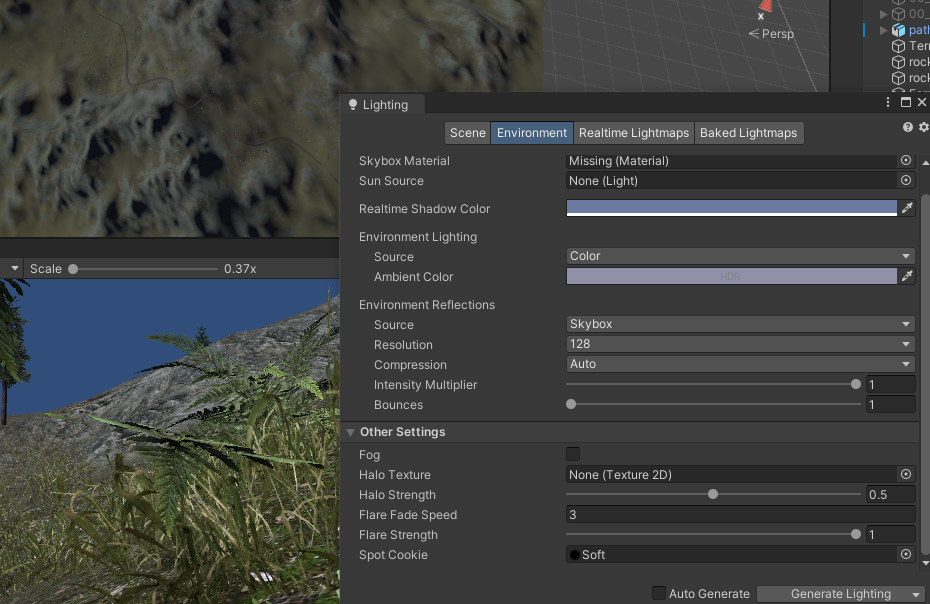
체크해제하면 씬에서 맵이 보임
________________________________________________________
자동차 게임
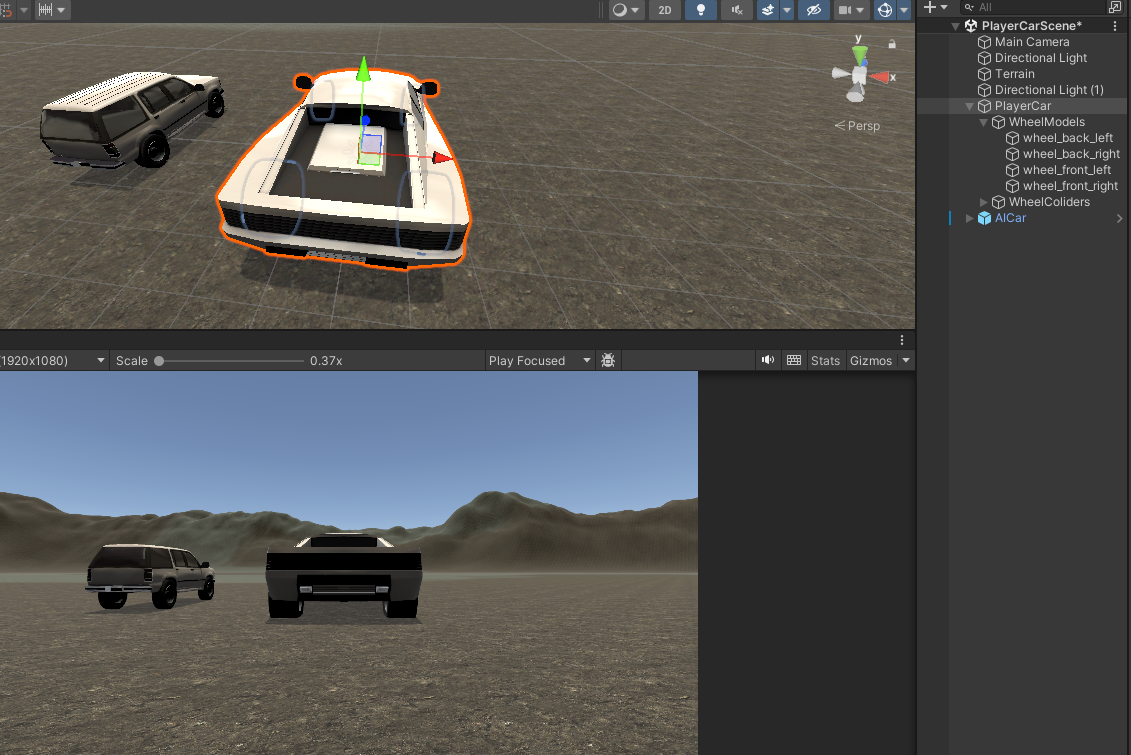
자동차랑 터레인 셋팅
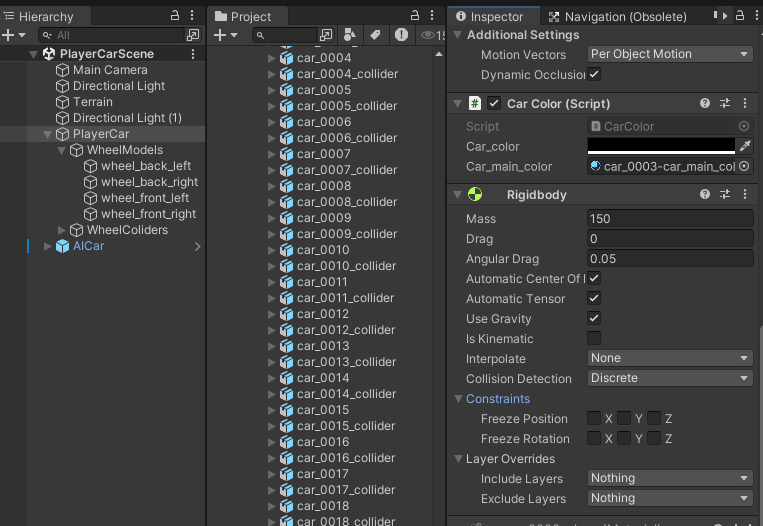
자동차는 RigidBody에 회전 잠금 안해둠
안해야 코너링이 가능
자동차 말고도 어지간한 탑승물들은 전부 저걸 체크안하는 편
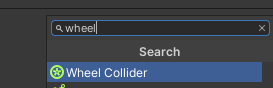
Wheel Colider
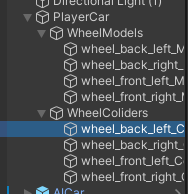
Wheel Coliders안에 있는 바퀴들에 부착
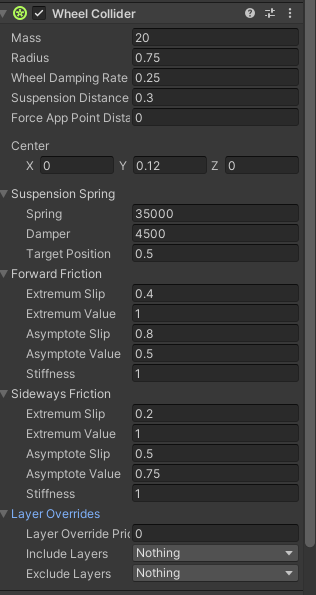
아래있는것들은 기본셋팅이 이륜구동(승용차용) 으로 되어있는데
4륜구동으로 만들고싶으면 알아서 유니티 홈페이지쪽에 표보고 설정하면됨
Suspension Spring : 충격을 흡수하기 위해서 튕기는 강도
Forward Friction : 정면 마찰
Sideways Friction : 측면 마찰(코너링)
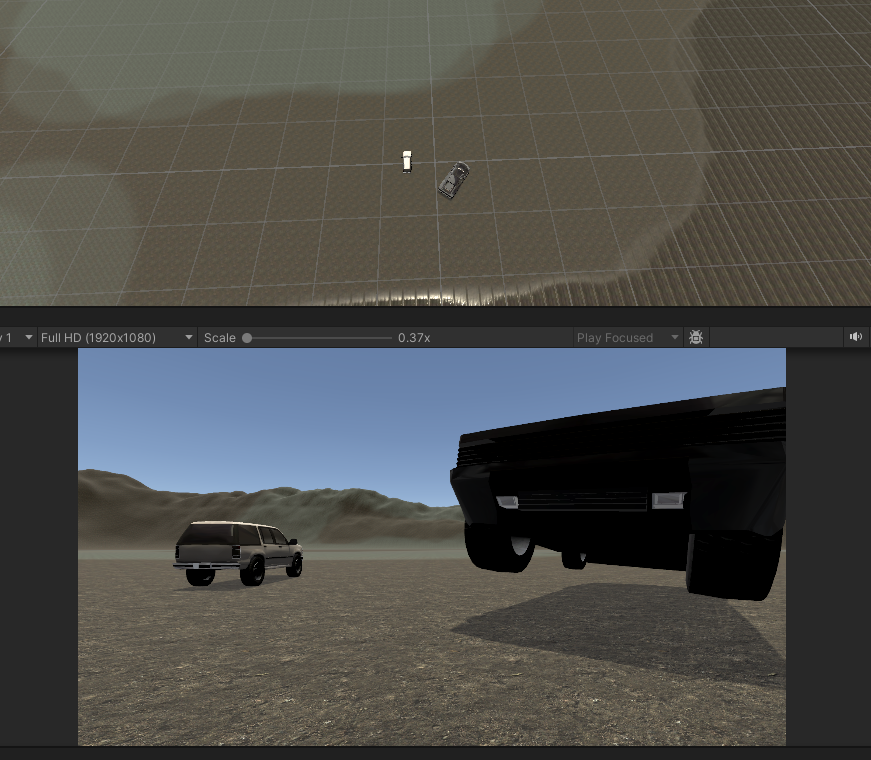
휠을 다 잡아두면 그냥 난리가 나는데,
무게중심을 잡질 못해서 그렇다.

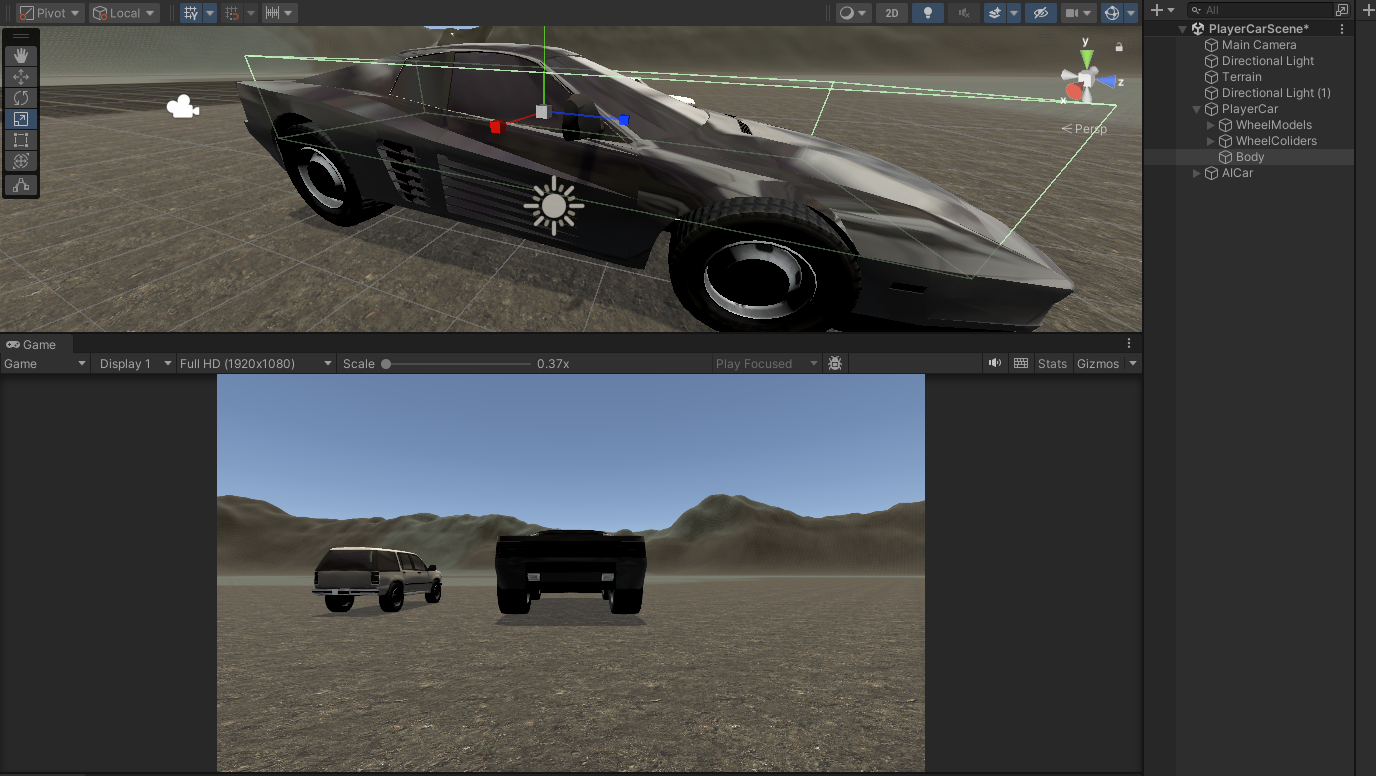
큐브 하나 깔고 크기 늘려놓고 Mesh 끄면
안흔들린다
    /*public enum ePos
    {
        Front_Left, Front_Right, Back_Left, Back_Right
    }
    [SerializeField] public Dictionary<ePos, WheelCollider> WheelColliders;*/


    [Header("콜라이더")]
    public WheelCollider FL_c;
    public WheelCollider FR_c;
    public WheelCollider BL_c;
    public WheelCollider BR_c;

    [Header("모델")]
    public Transform FL_m;
    public Transform FR_m;
    public Transform BL_m;
    public Transform BR_m;

    [Header("무게 중심")]
    public Vector3 centerOfMass = new Vector3(0,-0.5f, 0); // 무게중심
    Vehicle은 무게중심을 안잡으면 차가 기울어지게됨
    [SerializeField] private Rigidbody rb;

    위에 Dictionary로 못한 이유 => dictionary가 유니티 인스펙터 창에서 안잡힘
using UnityEngine;
using UnityEditor;
using System;
using System.Collections;
using System.Collections.Generic;

[CustomEditor(typeof(PlayerCar))]
public class PlayerCarEditor : Editor
{
    public override void OnInspectorGUI()
    {
        serializedObject.Update();

        // MonoBehaviour 의 다른 필드가 있으면 그대로 그려주기
        DrawDefaultInspector();

        EditorGUILayout.Space();
        EditorGUILayout.LabelField("Wheel Colliders", EditorStyles.boldLabel);

        var comp = (PlayerCar)target;

        // Dictionary 초기화
        if (comp.WheelColliders == null)
            comp.WheelColliders = new Dictionary<PlayerCar.ePos, WheelCollider>();

        // enum 값 순회하며 ObjectField 그리기
        foreach (PlayerCar.ePos pos in Enum.GetValues(typeof(PlayerCar.ePos)))
        {
            EditorGUI.BeginChangeCheck();

            // 기존에 할당된 콜라이더
            comp.WheelColliders.TryGetValue(pos, out WheelCollider existing);

            // 필드 렌더링
            WheelCollider assigned = (WheelCollider)EditorGUILayout.ObjectField(
                pos.ToString(), existing, typeof(WheelCollider), true);

            // 값이 바뀌었으면 Dictionary에 반영
            if (EditorGUI.EndChangeCheck())
            {
                comp.WheelColliders[pos] = assigned;
                EditorUtility.SetDirty(comp);
            }
        }

        EditorGUILayout.Space();
        EditorGUILayout.LabelField("Wheel Models", EditorStyles.boldLabel);

        if (comp.WheelModels == null)
            comp.WheelModels = new Dictionary<PlayerCar.ePos, Transform>();

        // enum 값 순회하며 ObjectField 그리기
        foreach (PlayerCar.ePos pos in Enum.GetValues(typeof(PlayerCar.ePos)))
        {
            EditorGUI.BeginChangeCheck();

            // 기존에 할당된 콜라이더
            comp.WheelModels.TryGetValue(pos, out Transform existing);

            // 필드 렌더링
            Transform assigned = (Transform)EditorGUILayout.ObjectField(
                pos.ToString(), existing, typeof(Transform), true);

            // 값이 바뀌었으면 Dictionary에 반영
            if (EditorGUI.EndChangeCheck())
            {
                comp.WheelModels[pos] = assigned;
                EditorUtility.SetDirty(comp);
            }
        }

        serializedObject.ApplyModifiedProperties();
    }
}
이런게 있어서 해봤지만, 값을 할당할수가 없어서 의미가 없어짐
____________________________________________________________
차 움직이기
    void FixedUpdate()
    {
        this.carCurrentSpeed = rb.velocity.sqrMagnitude;
        this.Steer = Input.GetAxis("Horizontal");
        this.forward = Mathf.Clamp(Input.GetAxis("Vertical"),0,1); // w키만 받기 위해 Clamp를 활용해서 0 이하로 안내려가게함
        this.back = -1 * Mathf.Clamp(Input.GetAxis("Vertical"),-1,0); // s키만 받기 위해 Clamp를 활용해서 0 이상으로 안올라가게함
                                                                      // -1을 곱해서 양수로 만들어서 계산을 용이하게 함

        if (Input.GetKey(KeyCode.W)) // 전진중 일때
        {
            StartCoroutine(ForwardCar());
        }
        else if (Input.GetKey(KeyCode.S)) // 후진중 일때
        {
            StartCoroutine(BackwardCar());
        }

        if (this.reverse)
        {
            this.motor = -1 * this.back;
            this.brake = forward;
        }
        else
        {
            this.motor = forward;
            this.brake = back;
        }

        //이륜구동 만드는거라 뒷바퀴만 회전시킬거임
        #region 뒷 바퀴 회전 X축(전방 후방)
        this.BL_c.motorTorque = this.maxToque * motor;
        this.BR_c.motorTorque = this.maxToque * motor;
        #endregion
        //앞바퀴는 회전 시킬거임
        #region 앞 바퀴 회전 Y축(좌우)
        this.FL_c.steerAngle = this.Steer * this.maxSteerAngle;
        this.FR_c.steerAngle = this.Steer * this.maxSteerAngle;
        #endregion

    }


    private IEnumerator ForwardCar()
    {
        yield return new WaitForSeconds(0.1f);
        this.carCurrentSpeed = 0.1f;
        /*if(this.back > 0)
        {
            this.reverse = true;
        }
        else
        {
            this.reverse = false;
        }*/
        this.reverse = (this.back > 0);
    }
    private IEnumerator BackwardCar()
    {
        yield return new WaitForSeconds(0.1f);
        this.carCurrentSpeed = 0.1f;
        /*if(this.back > 0)
        {
            this.reverse = true;
        }
        else
        {
            this.reverse = false;
        }*/
        this.reverse = (this.back > 0);
    }
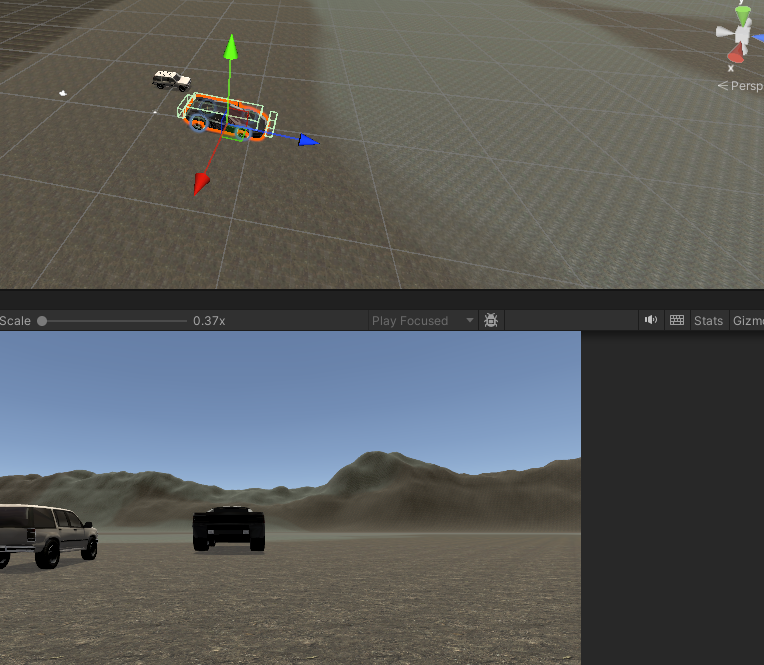
#region 모델링도 회전 시키기
this.FL_m.localEulerAngles = new Vector3(FL_c.transform.localEulerAngles.x, this.Steer*maxSteerAngle, FL_c.transform.localEulerAngles.z);
this.FR_m.localEulerAngles = new Vector3(FR_c.transform.localEulerAngles.x, this.Steer*maxSteerAngle, FR_c.transform.localEulerAngles.z);
// 앞바퀴는 y축도 회전 시켜야함
#endregion
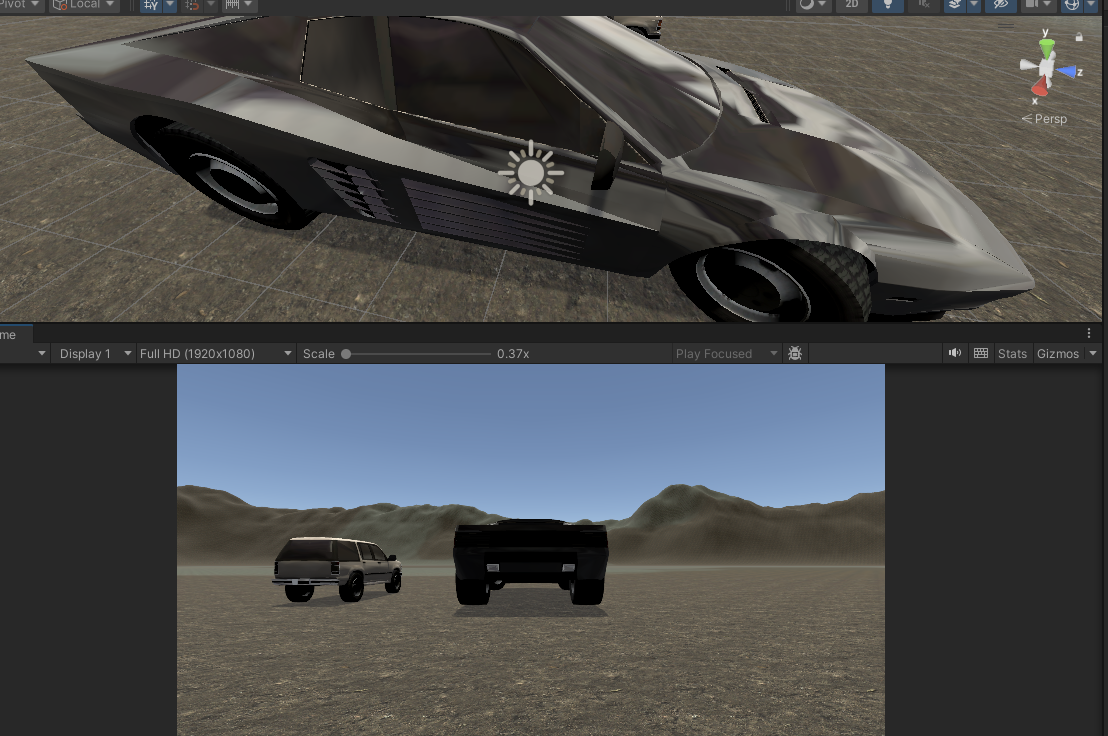
최종 코드 형태


using System;
using System.Collections;
using System.Collections.Generic;
using UnityEngine;

//1.Wheel Colider <- 바닥 마찰로 이동
//2.Wheel Models <- 콜라이더랑 같이 회전
//

public class PlayerCar : MonoBehaviour
{

    [Header("콜라이더")]
    public WheelCollider FL_c;
    public WheelCollider FR_c;
    public WheelCollider BL_c;
    public WheelCollider BR_c;

    [Header("모델")]
    public Transform FL_m;
    public Transform FR_m;
    public Transform BL_m;
    public Transform BR_m;

    [Header("무게 중심")]
    public Vector3 centerOfMass = new Vector3(0,-0.5f, 0); // 무게중심

    [Header("Car Angle")]
    public float maxSteerAngle = 35f; // 최대 조향각
     public float maxMotorTorque = 2500f; // 최대 토크(가속력)
     public float maxBrakeTorque = 3500f; // 브레이크 토크(감속력)
     public float maxSpeed = 200f; // 브레이크 토크(감속력)
    public float emergencyBrakeForce = 80000;

     [Header("Car Current Speed")] public float carCurrentSpeed = 0f;

    private Rigidbody rb;

    public float SteerInput = 0f; //ad키를 받는 회전
    public float motorInput; // 차량의 모터토크를 저장하기 위한 변수
    public bool isEmergencyBraking = false;

    void Start()
    {
        this.rb = GetComponent<Rigidbody>();
        if(this.rb != null)
        {
            rb.centerOfMass = centerOfMass;
        }
    }
    private void Update()
    {
        this.SteerInput = Input.GetAxis("Horizontal");


        this.motorInput = Input.GetAxis("Vertical");


        this.isEmergencyBraking = Input.GetKey(KeyCode.LeftShift);
        this.carCurrentSpeed = rb.velocity.sqrMagnitude;
    }
    void FixedUpdate()
    {


        HandleMotor();


    }

    void HandleMotor()
    {
        //비상 브레이크를 밟을 시, 차의 모든 구동력을 통제해야함
        if (isEmergencyBraking)
        {
            //뒷바퀴 속도 0으로

            this.BL_c.motorTorque =0;
            this.BR_c.motorTorque =0;


            //뒷바퀴에 브레이크걸면 멈춰짐

            this.BL_c.brakeTorque = this.emergencyBrakeForce;
            this.BR_c.brakeTorque = this.emergencyBrakeForce;

        }
        else
        {
            //비상 브레이크가 아니라면, 일반적인 주행
            //이륜구동 만드는거라 뒷바퀴만 회전시킬거임
            #region 뒷 바퀴 회전 X축(전방 후방)
            this.BL_c.motorTorque = this.maxMotorTorque * motorInput;
            this.BR_c.motorTorque = this.maxMotorTorque * motorInput;
            #endregion
            //앞바퀴는 좌우 회전 시킬거임
            #region 앞 바퀴 회전 Y축(좌우)
            this.FL_c.steerAngle = this.SteerInput * this.maxSteerAngle;
            this.FR_c.steerAngle = this.SteerInput * this.maxSteerAngle;
            #endregion
            //뒷바퀴에 걸었던 브레이크 해제

            this.BL_c.brakeTorque = 0;
            this.BR_c.brakeTorque = 0;
        }
    }

    private void LateUpdate()
    {
        #region 모델링도 회전 시키기

        #endregion
        this.UpdateWheelModel(this.FL_c,FL_m);
        this.UpdateWheelModel(this.FR_c,FR_m);
        this.UpdateWheelModel(this.BL_c,BL_m);
        this.UpdateWheelModel(this.BR_c,BR_m);
    }

    void UpdateWheelModel(WheelCollider col , Transform model)
    {
        Vector3 pos;
        Quaternion rot;

        col.GetWorldPose(out pos, out rot);
        model.position = pos;
        model.rotation = rot;
    }
}
______________________________________________________________
경로 만들기(선까지 보이도록)
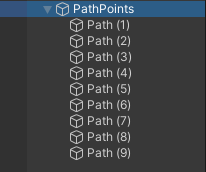
pathPoint에 스크립트 부착
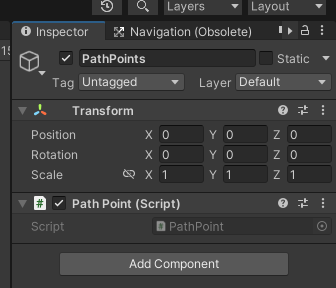
using System.Collections;
using System.Collections.Generic;
using UnityEngine;

public class PathPoint : MonoBehaviour
{
    public Color lineColor = Color.black;
    public List<Transform> NodeList;
    private void OnDrawGizmos()
    {
        Gizmos.color = lineColor;
        this.NodeList = new List<Transform>();
        Transform[] PathTr = GetComponentsInChildren<Transform>();
        for(int i = 0; i<PathTr.Length; i++)
        {
            if (PathTr[i] != this.transform)
            {
                this.NodeList.Add(PathTr[i]);
            }
        }
        for(int i = 0; i< this.NodeList.Count; i++)
        {
            Vector3 curNode = this.NodeList[i].position; //현재 노드
            Vector3 prevNode = Vector3.zero; //이전 노드
            if(i > 0)
            {
                prevNode = NodeList[i-1].position;
            }
            else if(i == 0 && NodeList.Count > 1) // 분명 2개 이상 들어가있는데 첫번째 노드라면
            {
                prevNode = this.NodeList[NodeList.Count - 1].position; // 이전 노드는 마지막 노드
            }
            Gizmos.DrawLine(prevNode, curNode); // 이전거랑 다음거랑 선으로 그음
            Gizmos.DrawSphere(curNode, 0.8f); // 현재위치에 구체 그리기
        }

    }
}

그냥 배열 순서대로 노드 순서 잡아서 걔네끼리 순서대로 선으로 연결되도록 하는 내용
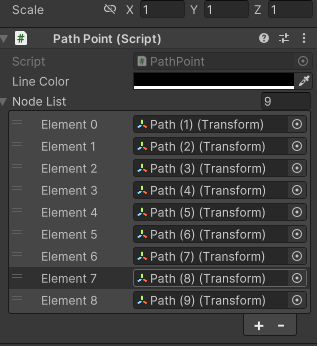
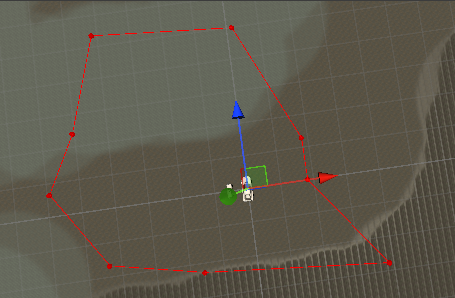
뭔가 실행을 안해도 다 할당되고 선이 보이는데
OnDrawGizmo는 Editor실행과 상관없이 그냥 계속 실행되는 내용이기 때문이다.
단, 그래서
this.NodeList = new List<Transform>();
이 부분은 반드시 OnDrawGizmo안에 있어야한다.
안그러면 저 OnDrawGizmo가 계속 실행되서 안에 무한히 들어간다
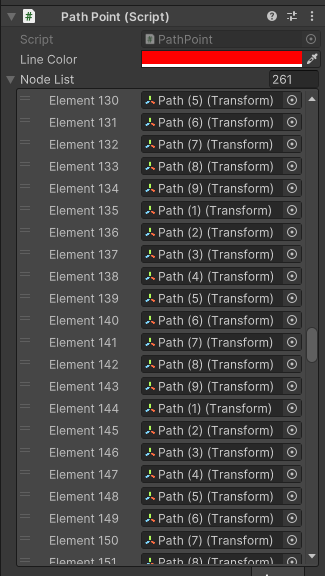
이렇게 된다.
________________________________________________________________
경로따라 움직이는 차 만들기
using System.Collections;
using System.Collections.Generic;
using UnityEngine;
using UnityEngine.Rendering;

public class AICar : MonoBehaviour
{
    public enum ePos//그냥 int로써 사용
    {
        Front_Left, Front_Right, Back_Left, Back_Right
    }
    [SerializeField] List<WheelCollider> wheelColliders = new List<WheelCollider>();
    [SerializeField] List<Transform> wheelModels = new List<Transform>();

    Rigidbody rb;

    [Header("Car Setting")]
    public Vector3 centerOfMass = new Vector3(0, -0.5f, 0);
    [SerializeField] float maxSteerAngle = 35f;
    [SerializeField] float maxMotorTorque = 2500f;
    [SerializeField] float maxSpeed;
    [SerializeField] float emergencyBrakeForce;
    [Header("Car Status")] public float currentSpeed = 0;

    [Header("Path Line")]
    [SerializeField] List<Transform> NodeList = new List<Transform>();
    [SerializeField] int curNodeIdx = 0;

    void Start()
    {
        this.rb = GetComponent<Rigidbody>();
        if (rb != null)
            this.rb.centerOfMass = this.centerOfMass;
        var pathArray = GameObject.Find("PathPoints").transform;
        if (pathArray != null)
        {
            pathArray.GetComponentsInChildren<Transform>(NodeList);
            //이렇게하면 NodeList에 담김 -> Add와 똑같음
            this.NodeList.RemoveAt(0);
        }
    }
    private void FixedUpdate() // 이동부분(바퀴 콜라이더들 이동시키는 부분)
    {
        ApplySteer();
        Drive();
        CheckWayPointDist();
    }
    void ApplySteer() // 앞바퀴가 path를 따라서 회전하는 메서드
    {
        Vector3 relativeVector = this.transform.InverseTransformPoint(this.NodeList[curNodeIdx].position);
        // 월드 좌표를 차량의 로컬 좌표로 변환해서 상대적인 위치를 계산한다
        // 내 좌표 기준 저게 어느 위치에 있는지를 준다

        float newSteer = (relativeVector.x / relativeVector.magnitude) * maxSteerAngle;
        //그 위치의 x좌표를 이용해서 조향각을 계산
        // 경로라인의 x좌표 / 경로라인의 길이 * 최대 조향각
        this.GetWheelCol(ePos.Front_Left).steerAngle = newSteer;
        this.GetWheelCol(ePos.Front_Right).steerAngle = newSteer;
    }
    void Drive() // path를 따라서 이동
    {
        this.currentSpeed = 2f * Mathf.PI * this.GetWheelCol(ePos.Front_Left).radius * this.GetWheelCol(ePos.Front_Left).rpm * 60f / 1000;
        //2 *Pi * r = 원의 둘레 => 한바퀴 돌면 이동하는 거리
        //rpm => round per minute => 1분에 몇바퀴 도는가
        // 위에거랑 곱하면 1분에 이동하는 거리
        // * 60 -> 1시간에 이동하는 거리 (m단위)
        // / 1000 -> m단위였던걸 km로(1km = 1000m)
        // => 즉 1시간동안 이동거리(km/h)

        if (this.currentSpeed < maxSpeed)
        {
            GetWheelCol(ePos.Back_Left).motorTorque = this.maxMotorTorque;
            GetWheelCol(ePos.Back_Right).motorTorque = this.maxMotorTorque;
        }
        else
        {
            GetWheelCol(ePos.Back_Left).motorTorque = 0;
            GetWheelCol(ePos.Back_Right).motorTorque = 0;
        }
    }
    void CheckWayPointDist() // 경로를 체크해서 인덱스를 다시 0으로
    {
        if(Vector3.Distance(this.transform.position, this.NodeList[curNodeIdx].position) <= 2.5f)
        {
            if(this.curNodeIdx++ == this.NodeList.Count-1)
                { this.curNodeIdx = 0; }
        }
    }

    private WheelCollider GetWheelCol(ePos pos)
    {
        return this.wheelColliders[(int)pos];
    }
    private Transform GetWheelModel(ePos pos)
    {
        return this.wheelModels[(int)pos];
    }

    private void LateUpdate() // 바퀴 모델 회전 표현하는 부분
    {
        for(int pos = 0;pos < 4; pos++)
        {
            Vector3 wheel_Pos;
            Quaternion wheel_Rot;
            this.GetWheelCol((ePos)pos).GetWorldPose(out wheel_Pos, out wheel_Rot);
            this.GetWheelModel((ePos)pos).position = wheel_Pos;
            this.GetWheelModel((ePos)pos).rotation = wheel_Rot;
        }
    }
}'2025유니티수업' 카테고리의 다른 글
| 0707 유니티(좀비 서바이벌) (0) | 2025.07.07 |
|---|---|
| 0704 깃허브(Branch 복습, Branch 동기화),유니티( Car(Cinemachine dolly cart 이용) ,Zombie Survival) (0) | 2025.07.04 |
| 0702 유니티(RPG 카메라 무빙) (0) | 2025.07.02 |
| 0701 유니티(NavMeshObstacle, 라이트맵, 씬 합치기) (5) | 2025.07.01 |
| 0630 깃허브 데스크톱(Branch), 유니티(적 인공지능(AI)) (0) | 2025.06.30 |