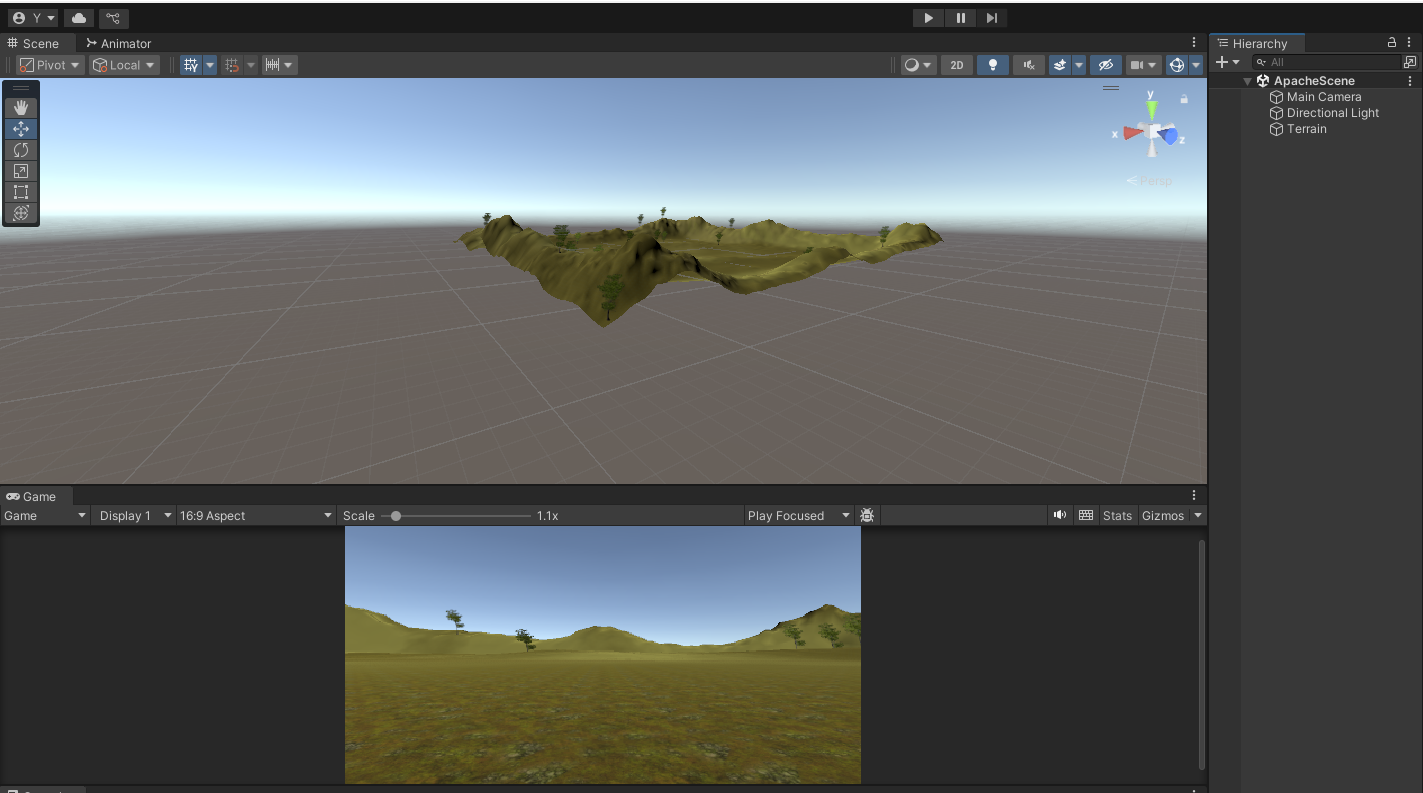
터레인 셋팅
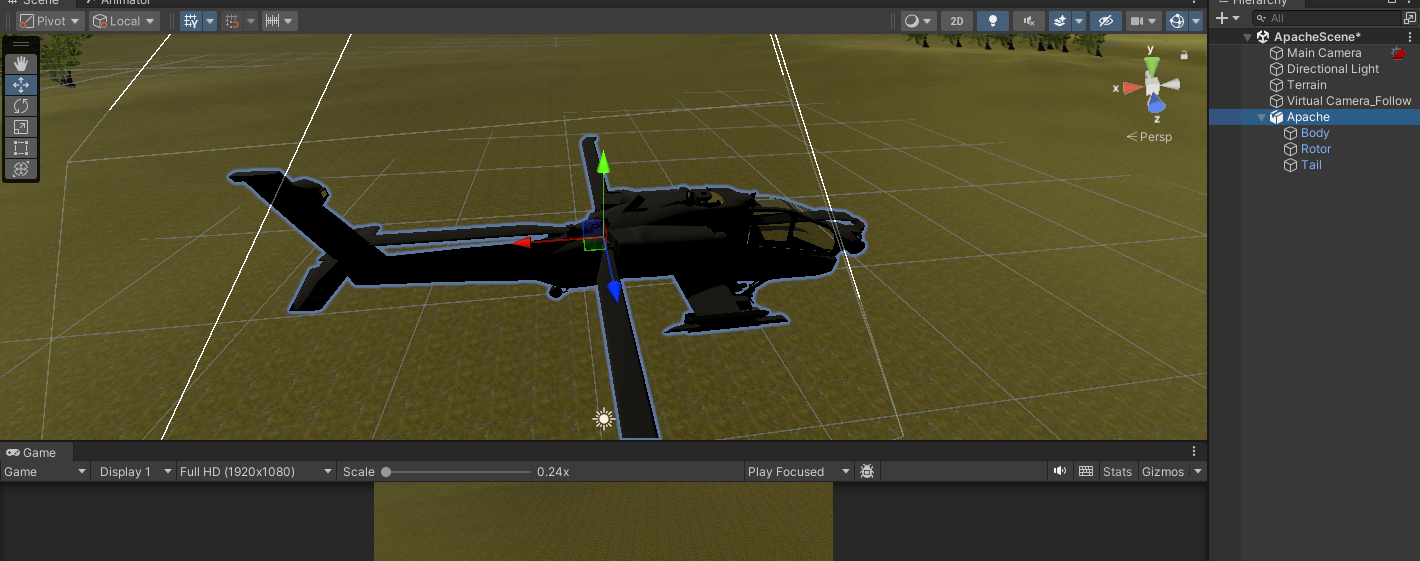
헬기
Z축(파란색) 이 옆으로 되어있다
이러면 앞으로 가라고하면 옆으로 가기때문에, 아래 모델링들을 돌린다
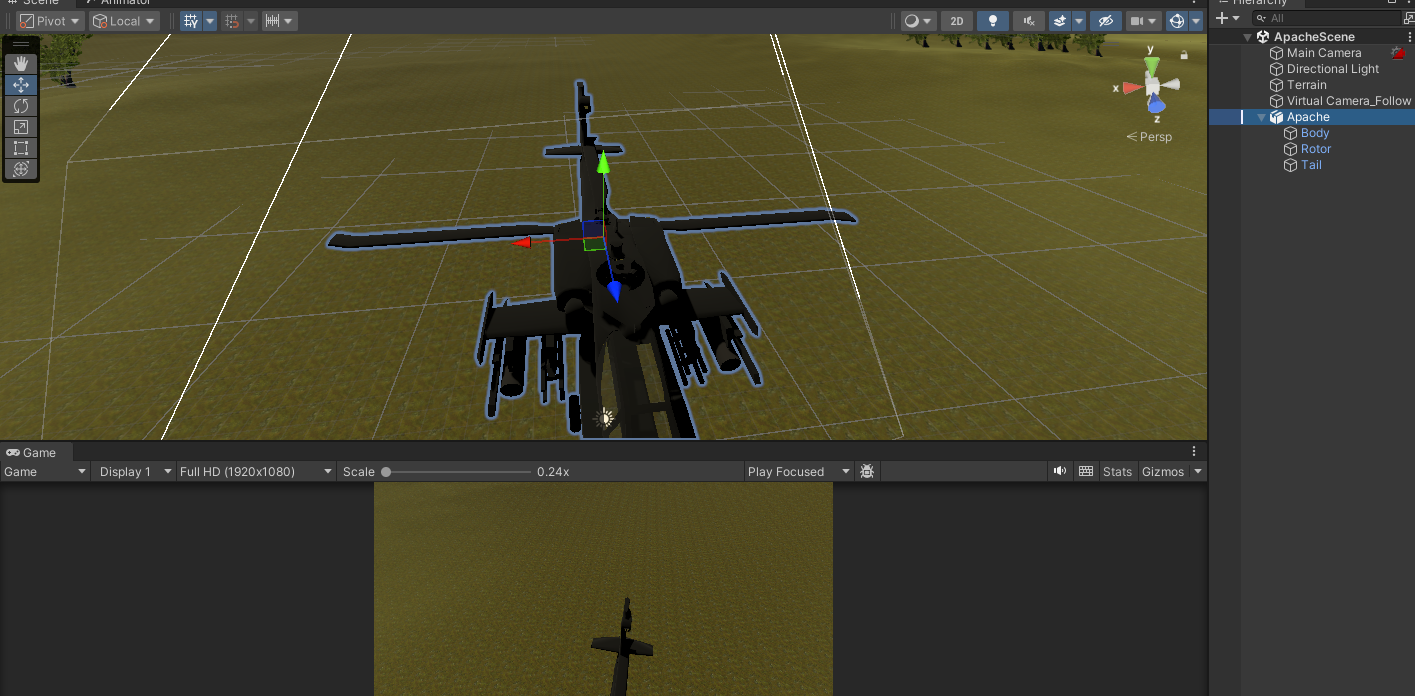
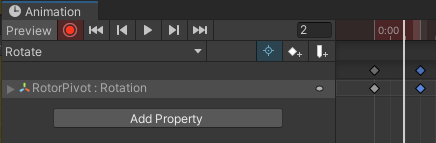
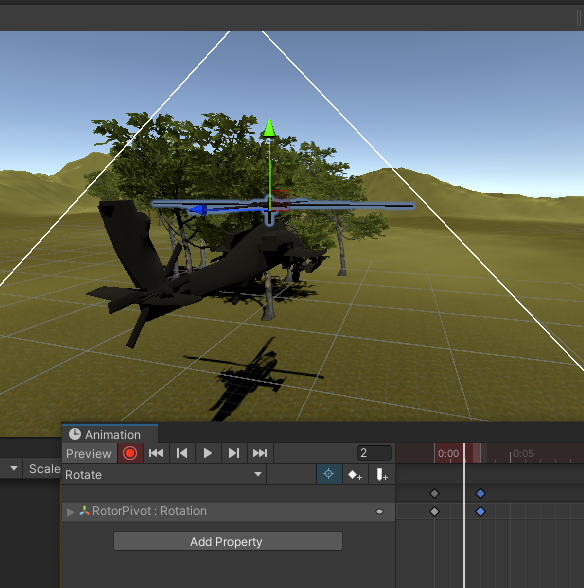
헬기 프로펠러 돌아가는 애니메이션
맨 앞은0, 맨 뒤는 360 해놓으면 된다
짧게 해놔야 잘 돌아간다
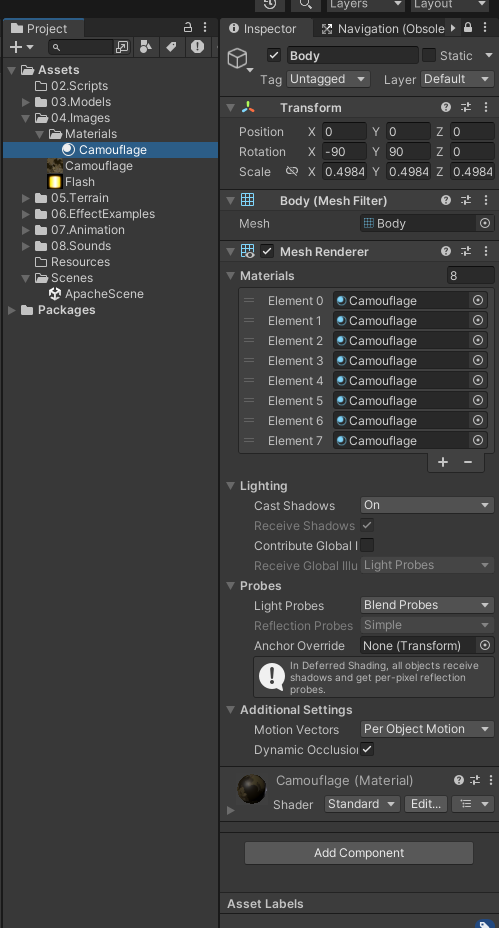
원래 다른 매터리얼이 막 있었는데
사진 하나 끌어다 올리니까 매터리얼이 하나 새로 생기면서 다 그거로 바뀐 모습
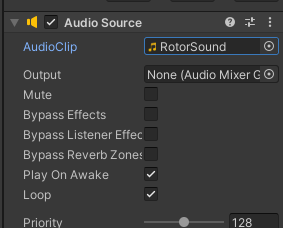
프로펠러 소리
시작하자마자, 무한반복되게
public class ApacheCtrl : MonoBehaviour
{
    public Rigidbody rb; // Rigidbody 컴포넌트 변수 선언
    public float moveSpeed = 0f; // 비행 속도 변수 선언
    public float rotateSpeed = 0f; // 회전 속도 변수 선언
    public float verticalSpeed = 0f; // 수직 속도 변수 선언
    void Start()
    {
    }
    void FixedUpdate() // 키보드 입력값만큼 이동하기 위한 로직
    {
        #region 좌우로 회전 하는 로직
        if (Input.GetKey(KeyCode.A))
        {
            this.rotateSpeed -= 0.02f; // 왼쪽 방향키를 누르면 왼쪽으로 회전
        }
        else if (Input.GetKey(KeyCode.D))
        {
            this.rotateSpeed += 0.02f; // 오른쪽 방향키를 누르면 오른쪽으로 회전
        }
        else if(this.rotateSpeed != 0)
        {
            this.rotateSpeed += this.rotateSpeed > 0f ? -0.02f : 0.02f; // 회전 속도가 0이 되도록 감속
        }
        this.transform.Rotate(0f, this.rotateSpeed, 0f); // 현재 회전 속도만큼 회전
        #endregion

        #region 앞뒤로 이동 하는 로직
        if (Input.GetKey(KeyCode.W))
        {
            this.moveSpeed += 0.02f; // 앞쪽 방향키를 누르면 앞으로 이동
        }
        else if (Input.GetKey(KeyCode.S))
        {
            this.moveSpeed -= 0.02f; // 뒤쪽 방향키를 누르면 뒤로 이동
        }
        else if (this.moveSpeed != 0)
        {
            this.moveSpeed += this.moveSpeed > 0f ? -0.02f : 0.02f; // 이동 속도가 0이 되도록 감속
        }
        this.transform.Translate(Vector3.forward * this.moveSpeed * Time.deltaTime, Space.Self);
        #endregion

        #region 수직으로 이동 하는 로직
        if (Input.GetKey(KeyCode.Space))
        {
            this.verticalSpeed += 0.02f; // 스페이스바를 누르면 공중에 뜸
        }
        else if (Input.GetKey(KeyCode.LeftAlt))
        {
            this.verticalSpeed -= 0.02f; // alt누르면 착지
        }
        else if(this.verticalSpeed != 0)
        {
            this.verticalSpeed += this.verticalSpeed > 0f ? -0.02f : 0.02f; // 이동 속도가 0이 되도록 감속
            //this.transform.rotation = Quaternion.Slerp(this.transform.rotation, Quaternion.Euler(0, this.transform.rotation.y, this.transform.rotation.z) , Time.deltaTime); // 버튼입력 안할때 서서히 균형을 잡음
            이거 제대로 안되서 주석처리 했는데 개선해야할 상황임
        }
        this.transform.Translate(Vector3.up * this.verticalSpeed * Time.deltaTime, Space.World);
        #endregion

    }
}
_______________________________________________________________________
탱크
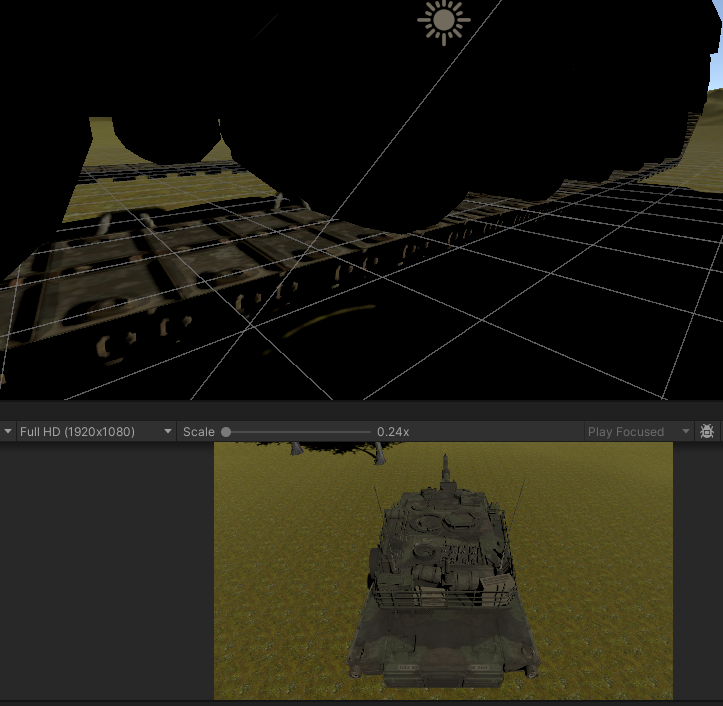
이동할때 저 바퀴도 움직이게 하고 싶음
실제로 움직이게 하기엔 부하가 심하니 다른 방법으로
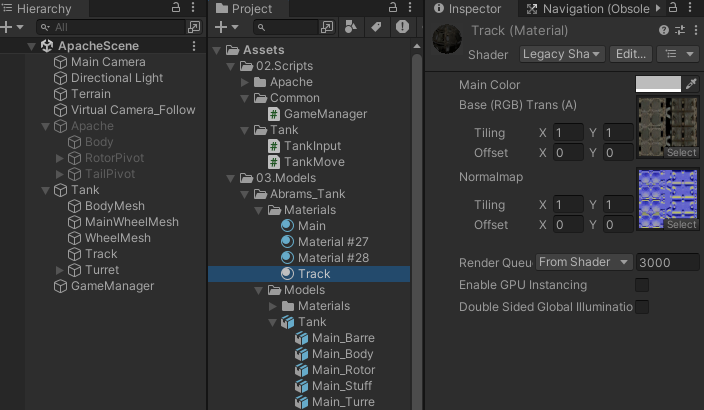
탱크 바퀴(Track)
거기에 달려있는 Material에서 이미지를 움직여서 움직이게 할거임
    void Update()
    {

        if (this.input != null)
        {
            var offset = Time.time * speed * this.input.v;
            this.meshRenderer.material.SetTextureOffset("_MainTex", new Vector2(0, offset));
            this.meshRenderer.material.SetTextureOffset("_BumpMap", new Vector2(0, offset));
        }

    }
SetTextureOffset
string값으로 MainTex, BumpMap 등으로 주면, Main이미지, 노말맵 등이 잡힌다
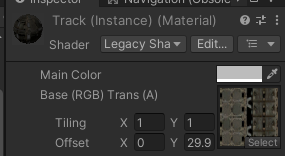
수치가 바뀌는걸 확인할 수 있다
____________________________________________________________
탱크 포신
마우스 휠 회전을 입력받아서 포신을 올렸다 내렸다
    void Update()
    {
        var rotate =-this.input.m_scroll * this.rotationSpeed; //외국인들의 생각은 달라서
                                                               //마우스를 올려서 올라가려면 - 붙여야함
        //this.transform.Rotate(Vector3.right * rotate);
        //회전 정도를 제한해야함
        currentRotation += rotate;
        //9~ -38 까지 움직임

        if (currentRotation < maxRotation) //음수여야 위로 올라감
                                           //x축을 오른쪽으로 돌리면(양수) 내려가니까 음수여야 위로 올라감
        {
            currentRotation = maxRotation;
        }
        else if (currentRotation > minRotation)
        {
            currentRotation = minRotation;
        }
        this.transform.rotation = Quaternion.Euler(currentRotation, this.transform.rotation.eulerAngles.y, this.transform.rotation.eulerAngles.z);

    }
'2025유니티수업' 카테고리의 다른 글
| 0711 Photon(Pun, Realtime) (0) | 2025.07.11 |
|---|---|
| 0710 유니티(LineRenderer, 사운드매니저) , Pun2 (3) | 2025.07.10 |
| 0708 유니티(좀비 서바이벌 완성 , scope zoom) (0) | 2025.07.08 |
| 0707 유니티(좀비 서바이벌) (0) | 2025.07.07 |
| 0704 깃허브(Branch 복습, Branch 동기화),유니티( Car(Cinemachine dolly cart 이용) ,Zombie Survival) (0) | 2025.07.04 |